
Triangle Folding Construction and Quadratic Equations
Loading the math board and drawing, please wait…
In collections
Folding paper, doing geometry figures
① This example demonstrates a geometric folding problem involving a triangle, where folding creates new shapes and leads to a quadratic equation for solving unknown lengths or angles. ② Core mathematical concepts include equilateral triangles, angle bisectors, perpendicular bisectors, reflection symmetry, quadratic equations, and the algebraic representation of geometric quantities. ③ Construction details: Based on the construction summary, the GeoGebra commands used include Polygon, Segment, Midpoint, Rotate, CircleArc, Intersect, AngularBisector, OrthogonalLine, Mirror, Circle, and Line. Multiple auxiliary points (E, F, G) and folded images (E', D', G') are created to explore the relationships before and after folding. ④ This is suitable for upper middle school or high school students, particularly for integrating geometry with algebra, and can be used in inquiry-based learning or mathematical modeling activities.
GeoGebra Commands & Parameters
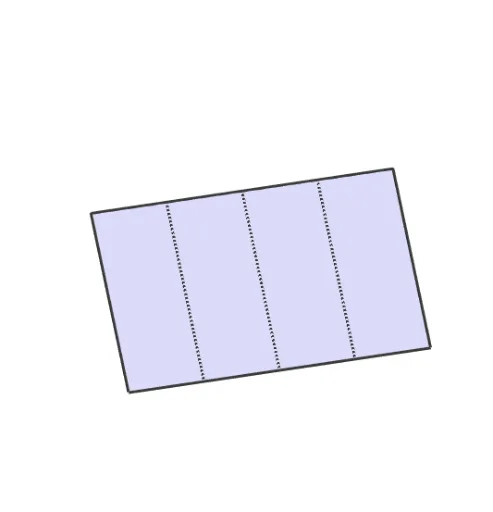
Polygon(A, C, D, B) → vierhoek1, a, c, d, bSegment((sqrt(2) / 4, 0), (sqrt(2) / 4, 1)) → fSegment((sqrt(2) / 2, 0), (sqrt(2) / 2, 1)) → gSegment(((3 * sqrt(2) / 4), 0), ((3 * sqrt(2) / 4), 1)) → hMidpoint(B, D) → ERotate(D, -90°, E) → DDCircleArc(E, DD, D) → eIntersect(e, h, 1) → FCircleArc(E, F, D) → kAngularBisector(F, E, D) → iIntersect(i, c) → GSegment(E, G) → jPolygon(A, C, G, E, B) → veelhoek1, a_1, c_1, g_1, e_1, b_1Polygon(E, D, G) → driehoek1, g_2, e_2, d_1Rotate(E, (((-(s - 1)) * 180))°, g_1) → E'Rotate(D, (((-(s - 1)) * 180))°, g_1) → D'Rotate(G, (((-(s - 1)) * 180))°, g_1) → G'Polygon(E', D', G') → driehoek1', g', e', d'Polygon(E, F, G) → driehoek2, g_3, e_3, f_1Segment(E, D) → lSegment(D, G) → mOrthogonalLine(F, a_1) → nIntersect(j, d') → HHIntersect(j, d') → IIIntersect(n, j) → RIntersect(n, a_1) → SSegment(R, S) → pSegment(F, S) → qMirror(F, g) → HMirror(G, g) → ISegment(I, E) → rCircleArc(E, B, H) → tPolygon(I, E, B) → driehoek3, b_2, i_1, e_4Rotate(I, (((s - 3) * 180))°, r) → I'Rotate(E, (((s - 3) * 180))°, r) → E'_1Rotate(B, (((s - 3) * 180))°, r) → B'Polygon(I', E'_1, B') → driehoek3', b', i', e'_1Polygon(E, I, A, C, G) → veelhoek2, e_5, i_2, a_2, c_2, g_4Segment(B, E) → h_1Segment(B, I) → j_1Mirror(R, g) → TTMirror(S, g) → SSSegment(SS, TT) → k_1Segment(SS, H) → l_1Polygon(I, H, E) → driehoek4, e_6, i_3, h_2Circle(G, C) → p_1Intersect(d', f_1) → JIntersect(d', f_1) → KIntersect(d', f_1) → LIntersect(d', f_1) → MIntersect(p_1, f_1) → N,CircleArc(G, N, C) → q_1Line(G, F) → m_1Intersect(m_1, a_2) → OSegment(O, F) → n_1Polygon(O, C, G) → driehoek5, g_5, o, c_3Rotate(O, (((s - 5) * 180))°, c_3) → O'Rotate(C, (((s - 5) * 180))°, c_3) → C'Rotate(G, (((s - 5) * 180))°, c_3) → G'_1Polygon(O', C', G'_1) → driehoek5', g'_1, o', c'Polygon(I, A, O, G, E) → veelhoek3, i_4, a_3, o_1, g_6, e_7Mirror(O, n_1) → O'_1Mirror(C, n_1) → C'_1Mirror(G, n_1) → G'_2Polygon(O'_1, C'_1, G'_2) → driehoek5'_1, g'_2, o'_1, c'_1Mirror(O, g) → O'_2Mirror(C, g) → C'_2Mirror(G, g) → G'_3Polygon(O'_2, C'_2, G'_3) → driehoek5'_2, g'_3, o'_2, c'_2Rotate(O, (((s - 5) * 180))°, c_3) → O'_3Rotate(G, (((s - 5) * 180))°, c_3) → G'_4Rotate(O'_2, (((-(s - 6)) * 180))°, c'_2) → QRotate(G'_3, (((-(s - 6)) * 180))°, c'_2) → UIntersect(c', o_1) → VIntersect(c', o_1) → WIntersect(c', o_1) → ZLine(I, H) → r_1Intersect(o_1, r_1) → TSegment(O, C) → s_1Segment(C, G) → t_1Polygon(I, A, O, T) → vierhoek2, i_5, a_4, o_2, t_2Rotate(I, (((-(s - 7)) * 180))°, t_2) → I'_1Rotate(A, (((-(s - 7)) * 180))°, t_2) → A'Rotate(O, (((-(s - 7)) * 180))°, t_2) → O'_4Rotate(T, (((-(s - 7)) * 180))°, t_2) → T'Polygon(I, T, G, E) → vierhoek3, i_6, t_3, g_7, e_8Segment(E, T) → f_2Segment(T, E) → j_2Intersect(Segment[O, N], j_2) → A_1Segment(A_1, E) → k_2Rotate(I, (((-(s - 7)) * 180))°, i_6) → I'_2Rotate(A, (((-(s - 7)) * 180))°, i_6) → A'_1Rotate(O, (((-(s - 7)) * 180))°, i_6) → O'_5Rotate(T, (((-(s - 7)) * 180))°, i_6) → T'_1Polygon(I'_2, A'_1, O'_5, T'_1) → vierhoek2', i'_2, a'_1, o'_5, t'_1Mirror(N, g) → NNCircleArc(I, A, NN) → d_2Segment(I, T) → l_2Intersect(g'_2, l_2) → B_1Polygon(N, B_1, T, G) → vierhoek4, n_2, b_3, t_4, g_8Segment(I, A) → m_2Segment(A, O) → p_2Midpoint(B, E) → C_1Midpoint(I, G) → D_1Midpoint(E, D) → E_1Mirror(O, l_2) → OOMirror(A, l_2) → AAPolygon(I, T, OO, AA) → vierhoek5, i_7, t_5, oo, aaSegment(B_1, OO) → s_2Intersect(i_3, oo) → F_1Polygon(F_1, OO, E) → driehoek6, e_9, f_3, oo_1Polygon(E, T, G) → driehoek7, g_9, e_{10}, t_6Rotate(E, (((-(s - 9)) * 180))°, g) → E'_2Rotate(T, (((-(s - 9)) * 180))°, g) → T'_2Rotate(G, (((-(s - 9)) * 180))°, g) → G'_5Polygon(E'_2, T'_2, G'_5) → driehoek7', g'_5, e'_2, t'_2Segment(E, T) → h_3Segment(OO, E) → j_3Polygon(I, T, E) → driehoek8, e_{11}, i_8, t_7OrthogonalLine(I, e_6) → q_2OrthogonalLine(G, e_3) → r_2Intersect(r_2, q_2) → G_1CircleArc(G_1, I, G) → d_3
AI Drawing Prompt Reference
Draw an equilateral triangle and construct a geometric folding problem within it. Start by drawing three segments from one vertex to represent the new shapes formed after folding. Find the midpoints of these segments and use them to draw arcs and angle bisectors. Locate the intersection points and construct new triangles. Then, rotate and mirror the new triangles to simulate the folding process. Finally, draw auxiliary lines and shapes to illustrate the relationships between the folded and unfolded forms and the algebraic representation of geometric quantities.
The prompt above was compiled from the original drawing commands and is for reference only.