
Triangle Congruence Exploration by Tim Guindon
Loading the math board and drawing, please wait…
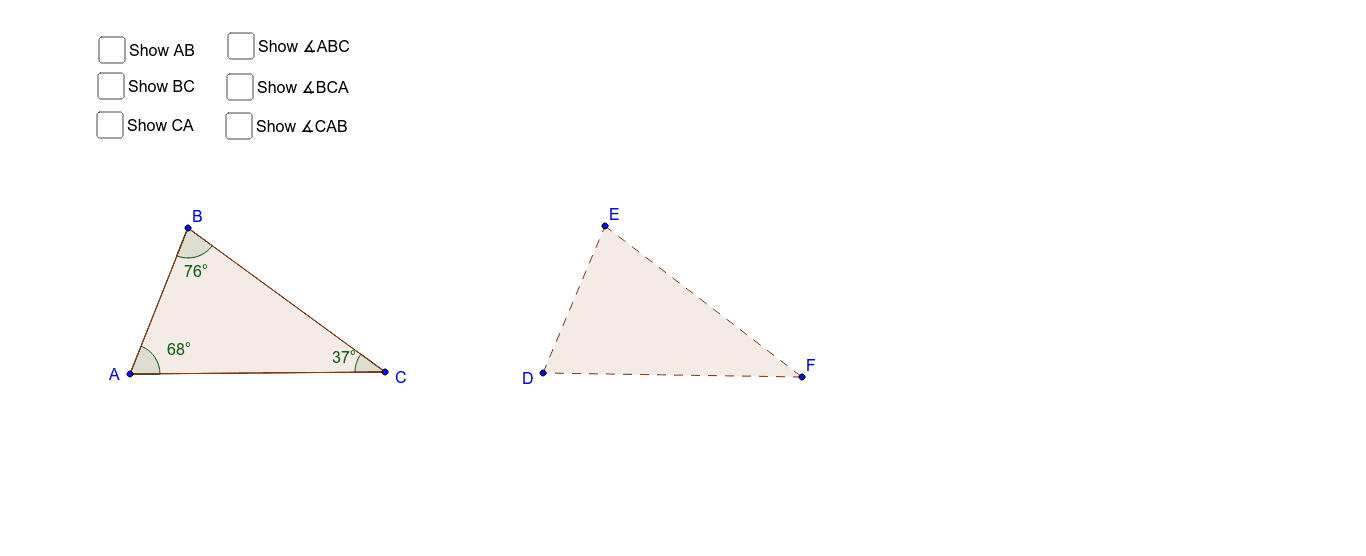
This example demonstrates how to construct different triangles by sharing parts. It involves core math concepts like triangle congruence criteria, angle and side relationships. Construction uses GeoGebra commands such as Segment, Angle, Polygon, Line, Distance, Point, Circle, Intersect, Rotate, and Ray. Suitable for middle school and above to understand triangle congruence conditions and geometric transformations.
GeoGebra Commands & Parameters
Segment(A, B) → aSegment(B, C) → bSegment(C, A) → cAngle(C, A, B) → αAngle(A, B, C) → βAngle(B, C, A) → γPolygon(B, A, C) → poly1, c_1, b_1, a_1Polygon(D, E, F) → poly2, f, d, eLine(D, E) → hDistance(A, B) → distanceABPoint(Circle[D, abs(Distance[A, B])]) → GSegment(D, G) → gCircle(D, G) → kIntersect(k, h, 2) → HSegment(D, H) → iLine(F, E) → jPoint(Circle[F, abs(Distance[B, C])]) → ISegment(F, I) → lCircle(F, I) → pIntersect(p, j, 2) → JSegment(F, J) → mLine(D, F) → nPoint(Circle[D, abs(Distance[A, C])]) → KSegment(D, K) → qCircle(D, K) → rIntersect(r, n, 2) → LSegment(D, L) → sRotate(F, α, D) → F'Angle(F, D, F') → δRay(D, F') → tRotate(D, (-γ), F) → D'Angle(D', F, D) → εRotate(D, β, E) → D'_1Angle(D, E, D'_1) → ζRay(E, D'_1) → e_1Ray(F, D') → d_1
AI Drawing Prompt Reference
Draw triangle ABC by connecting points A, B, and C. Then draw another triangle DEF that shares one angle and two sides with triangle ABC. Next, construct rotations and reflections of triangle DEF to form specific angle relationships with triangle ABC. Finally, connect points D, E, and F to form triangle DEF.
The prompt above was compiled from the original drawing commands and is for reference only.