
Triangle Area Basics
Loading the math board and drawing, please wait…
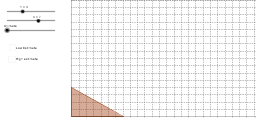
This example demonstrates the relationship between the area of a rectangle and a right triangle. By constructing a right triangle and relating it to a rectangle, it helps students understand the basic principles of area calculation. It uses commands such as Polygon, Vector, Segment, Translate, and Sequence in GeoGebra. Suitable for middle school and above students to learn about geometric shapes and area calculations.
GeoGebra Commands & Parameters
Polygon((b, 0), (0, h), (0, 0)) → mainTri, a, c, dVector((0, 0), If[Animate < 270, (0, 0), If[Animate > 320, (0, 5), ((0, 5) * (Animate - 270) / 50)]]) → translatevectorSegment((0, 0), (b, 0)) → baseTranslate(Rotate[mainTri, If[Animate > 180, -180*°, ((-Animate))°], Midpoint[a]], translatevector) → rotateTriSegment((0, 0), (0, h)) → heightSequence(floor(f(i)), i, 0, floor(b)) → minSequence(Min[{Element[min, i], Element[min, i + 1]}], i, 1, Length[min] - 1) → minheightSequence(Sequence[Polygon[(j - 1, i - 1), (j, i - 1), (j, i), (j - 1, i)], i, 1, Element[minheight, j]], j, 1, Length[minheight]) → minsquaresSequence(ceil(f(i)), i, 0, ceil(b)) → maxSequence(Max[{Element[max, i], Element[max, i + 1]}], i, 1, Length[max] - 1) → maxheightSequence(Sequence[Polygon[(j - 1, i - 1), (j, i - 1), (j, i), (j - 1, i)], i, 1, Element[maxheight, j]], j, 1, Length[maxheight]) → maxsquaresSum(minheight) → mintotalSum(maxheight) → maxtotalTranslate(Polygon[(0, 0), (b, 0), (b, h), (0, h)], Vector[If[Animate < 200, Vector[(0, 0), (0, 0)], Vector[If[Animate < 250, Vector[(0, 0), ((b + 4, 0) / 50 * (Animate - 200))], Vector[(0, 0), (b + 4, 0)]]]]]) → rectangleTranslate(Midpoint[c], Vector[If[Animate < 200, Vector[(0, 0), (0, 0)], Vector[If[Animate < 250, Vector[(0, 0), ((b + 4, 0) / 50 * (Animate - 200))], Vector[(0, 0), (b + 4, 0)]]]]]) → heighttextTranslate(Midpoint[d], Vector[If[Animate < 200, Vector[(0, 0), (0, 0)], Vector[If[Animate < 250, Vector[(0, 0), ((b + 4, 0) / 50 * (Animate - 200))], Vector[(0, 0), (b + 4, 0)]]]]]) → basetext
AI Drawing Prompt Reference
Draw a right triangle with its base on the x-axis and its height perpendicular to the base. Relate the triangle to a rectangle to show the relationship between their areas. First, draw a right triangle, then create a rotated triangle through translation and rotation. Next, draw a rectangle and add labels for the base and height in appropriate positions.
The prompt above was compiled from the original drawing commands and is for reference only.