
Trapezoidal Rule for Area Approximation
Loading the math board and drawing, please wait…
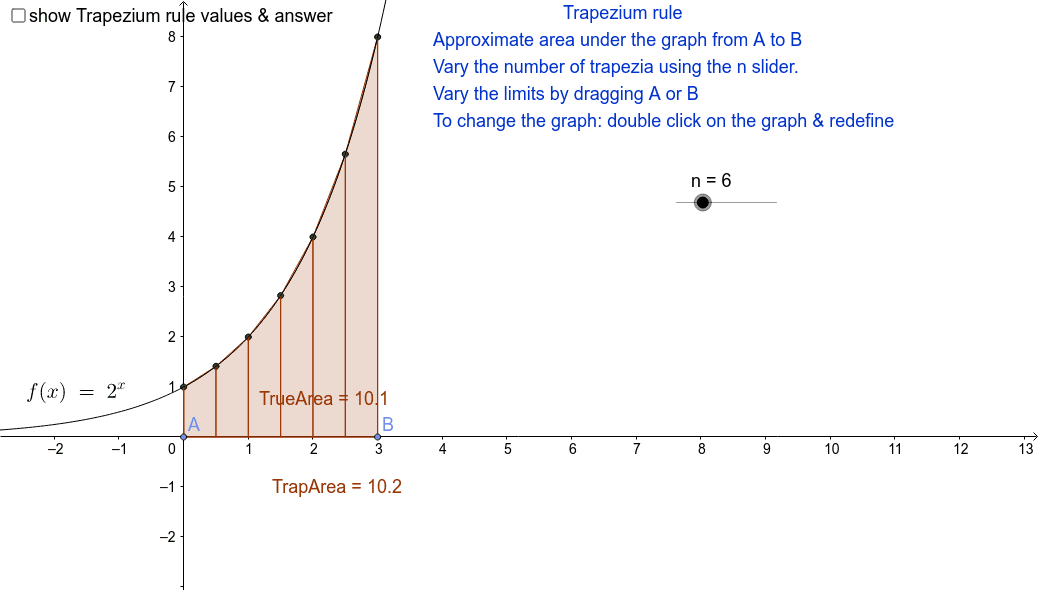
This example demonstrates the Trapezoidal rule for approximating the area under a curve using varying numbers of strips. Key math concepts include integration, numerical approximation, and the trapezoidal sum method. Constructed using GeoGebra commands like Point, TrapezoidalSum, Sequence, and Integral, it is suitable for high school calculus and numerical methods education.
GeoGebra Commands & Parameters
Point(xAxis) → APoint(xAxis) → BTrapezoidalSum(f, x(A), x(B), n) → TrapAreaSequence((i, f(i)), i, x(A), x(B), (x(B) - x(A)) / n) → list1Sequence(f(i), i, x(A), x(B), (x(B) - x(A)) / n) → list2Integral(f, x(A), x(B)) → TrueArea
AI Drawing Prompt Reference
Draw a function curve and place two points on the x-axis to define an interval. Approximate the area under the curve within this interval using the trapezoidal rule, showing both the approximate area and the true integral area. Adjust the number of trapezoids with a slider to observe changes in the approximation. Mark the points on the curve used for the trapezoidal sum and display lists of their function values.
The prompt above was compiled from the original drawing commands and is for reference only.