
Trapezoidal Rule by Patrick Cobb
Loading the math board and drawing, please wait…
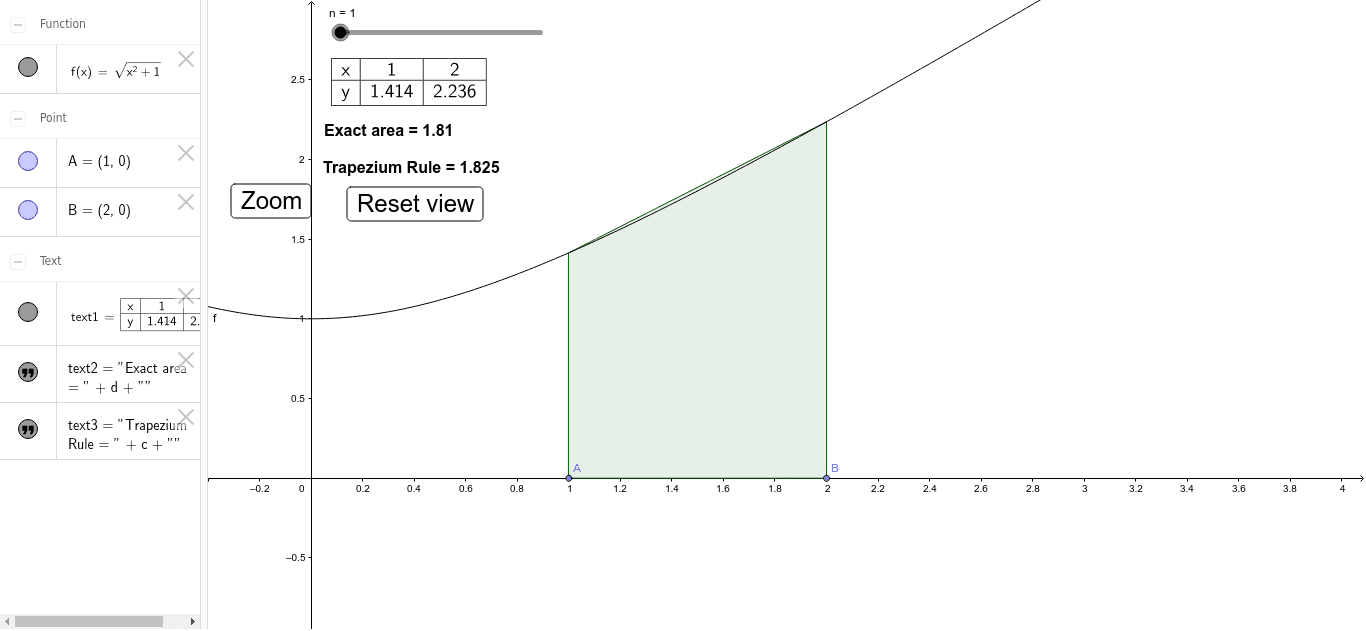
This example demonstrates the trapezoidal rule, allowing users to change the number of intervals, move points A and B, and modify the function to observe the error. It involves concepts of integration and functions. GeoGebra commands used include point, sequence, sum, integral, and join. Suitable for high school calculus education and learning.
GeoGebra Commands & Parameters
Point(xAxis) → APoint(xAxis) → BSequence(Polygon[(t, 0), (t + (b - a) / n, 0), (t + (b - a) / n, f(t + (b - a) / n)), (t, f(t))], t, a, b - (b - a) / n, (b - a) / n) → list1Sum(list1) → cIntegral(f, a, b) → dSequence(t, t, a, b, (b - a) / n) → list2Join({{x}, list2}) → list4Join({{y}, list3}) → list5TableText({list4, list5}, "c_|") → text1
AI Drawing Prompt Reference
Draw a diagram of the trapezoidal rule, including points A and B, and a series of line segments connecting them. Show the integral value c of the function f from a to b, and the approximate value c_ from the trapezoidal method. Adjusting points A and B and the function f allows observation of error changes.
The prompt above was compiled from the original drawing commands and is for reference only.