
Trapezoid Construction and Property Exploration
Loading the math board and drawing, please wait…
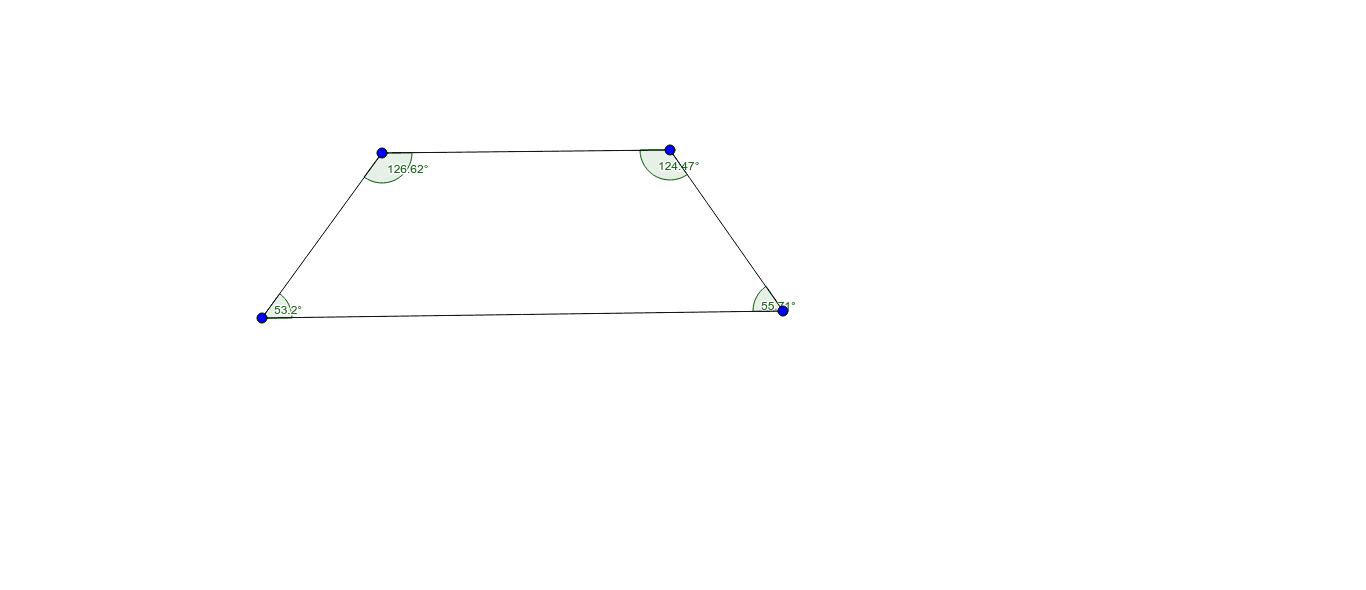
This example shows how to dynamically construct a trapezoid in GeoGebra and investigate its geometric properties. Core concepts include the definition of a trapezoid (one pair of parallel sides), angle relationships, symmetry, area calculation, and coordinate geometry representation. The construction uses Segment and Angle commands, defining vertices A, B, C, D and vectors a, b, c, d as well as angles α, β, γ, δ to create parallel and non‑parallel sides, with sliders for dynamic adjustment. It is suitable for high‑school geometry lessons, mathematical modeling courses, and middle‑school geometry intuition teaching, especially for exploring how geometric constructions affect shape properties.
GeoGebra Commands & Parameters
Segment(A, B) → aSegment(A, C) → bSegment(B, D) → cSegment(C, D) → dAngle(C, A, B) → αAngle(A, B, D) → βAngle(B, D, C) → γAngle(D, C, A) → δ
AI Drawing Prompt Reference
Draw a dynamically adjustable trapezoid with one pair of parallel bases, four vertices connected in order to form the four sides, and interior angles marked at each vertex to show angle relationships and symmetry; the figure should allow dragging vertices to change shape while observing real‑time updates of area and angle measures, and the construction highlights the parallel side pair and the non‑parallel legs, making it suitable for geometry lessons.
The prompt above was compiled from the original drawing commands and is for reference only.