
Trapezoid Area Exploration
Loading the math board and drawing, please wait…
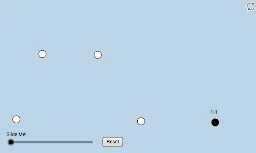
This example demonstrates the calculation of a trapezoid's area. Key mathematical concepts include the trapezoid area formula and its application. Using GeoGebra commands such as Line, Point, Segment, Polygon, etc., you can dynamically explore the area changes of a trapezoid. Suitable for middle school and above students to learn geometry and area calculation.
GeoGebra Commands & Parameters
Line(A, B) → fRay(A, B) → gPoint(g) → CRay(A, C) → hSegment(A, C) → iSlope(i) → mPointIn(a) → DLine(D, i) → jPoint(j) → ERay(D, E) → kPoint(k) → FSegment(D, F) → lSegment(A, D) → nSegment(F, C) → pMidpoint(p) → GDilate(A, If[0 < c ≤ 1, 1 - c, 0], C) → A'Segment(A, A') → qDilate(C, If[1 < c ≤ 2, 2 - c, 0], G) → C'Segment(C, C') → rDilate(G, If[2 < c ≤ 3, 3 - c, 0], F) → G'Segment(G, G') → sRotate(C, If[3 < c ≤ 4, ((c - 3) * π), π], G) → C'_1Rotate(C', If[3 < c ≤ 4, ((c - 3) * π), π], G) → C''Segment(C'_1, C'') → r'Dilate(F, If[4 < c ≤ 5, 5 - c, 0], D) → F'Segment(F, F') → tDilate(D, If[5 < c ≤ 6, 6 - c, 0], A) → D'Segment(D, D') → dDilate(D, If[6.5 < c ≤ 7.5, 7.5 - c, 0], G) → D'_1Polygon(A, C, G, D) → poly1, a_1, c_1, g_1, d_1Polygon(G, F, D) → poly2, d_2, g_2, f_1Segment(D, D'_1) → eRotate(G, If[8 < c ≤ 9, ((-(c - 8)) * π), π], G) → G'_1Rotate(F, If[8 < c ≤ 9, ((-(c - 8)) * π), π], G) → F'_1Rotate(D, If[8 < c ≤ 9, ((-(c - 8)) * π), π], G) → D'_2Polygon(G'_1, F'_1, D'_2) → poly2', d'_2, g'_1, f'_1Segment(F'_1, D'_2) → h_1Rotate(D, If[8 < c ≤ 9, ((-(c - 8)) * π), π], G) → D'_3Rotate(D'_1, If[8 < c ≤ 9, ((-(c - 8)) * π), π], G) → HSegment(D'_3, H) → e'Rotate(C'_1, If[8 < c ≤ 9, ((-(c - 8)) * π), π], G) → IRotate(C'', If[8 < c ≤ 9, ((-(c - 8)) * π), π], G) → C'''Segment(I, C''') → r''OrthogonalLine(D, q) → i_1Intersect(f, q) → JDilate(D, If[6 < c ≤ 7, 7 - c, 0], J) → D'_4Segment(D, D'_4) → j_1Min(t, q) → oCircle(J, (0.15 * o)) → e_1Intersect(e_1, i_1) → K, LIntersect(e_1, f) → M, NAngle(D, J, A) → αAngle(C, A, D) → βIntersect(i_1, f) → ODilate(D, If[6 < c ≤ 7, 7 - c, 0], O) → D'_5Segment(D, D'_5) → k_1Angle(A, O, D) → γPoint(f) → PPoint(f) → QCircle(C, t) → p_1Intersect(p_1, f, 2) → RRay(R, Q) → m_1Angle(F, C, A) → δ
AI Drawing Prompt Reference
Draw a trapezoid to demonstrate the calculation of its area. Start by creating two parallel line segments to form the bases of the trapezoid, then connect the endpoints to complete the shape. Inside the trapezoid, draw a line segment from the top base to the bottom base, and dynamically adjust the height and shape of the trapezoid to observe area changes. Finally, use rotations and dilations to illustrate the application of the area formula.
The prompt above was compiled from the original drawing commands and is for reference only.