
Trapezoid Area Calculation by Jorge Cássio
Loading the math board and drawing, please wait…
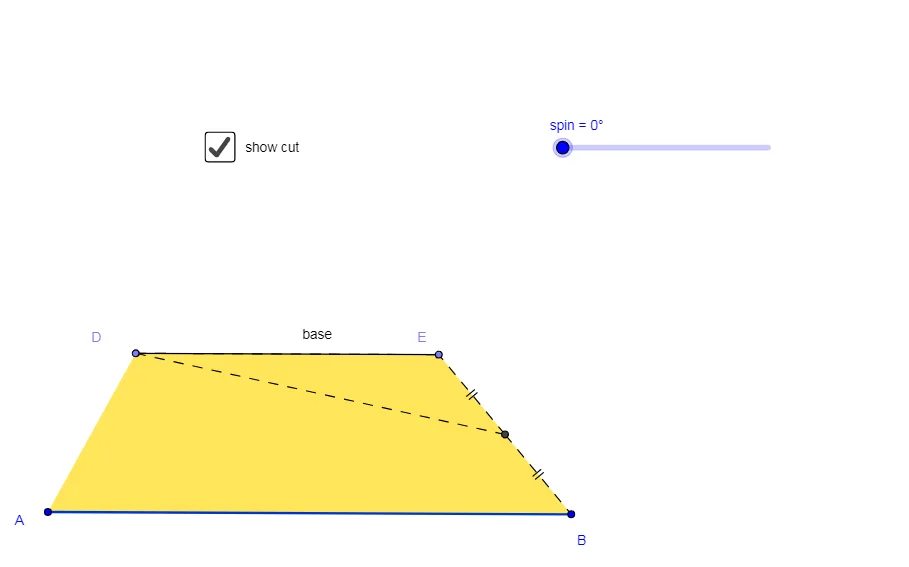
This example demonstrates the calculation of a trapezoid's area. It involves core mathematical concepts such as the area formula for trapezoids, geometric construction, and polygon creation. Key GeoGebra commands used include Segment, Line, Point, Polygon, Intersect, Circle, Rotate, Midpoint, and OrthogonalLine to construct the trapezoid and auxiliary shapes. Suitable for middle school students and above learning geometric constructions and area calculations, or for mathematical teaching demonstrations.
GeoGebra Commands & Parameters
Segment(A, B) → BaseLine(C, Base) → bPoint(b) → DPoint(b) → E_1Polygon(A, D, E_1, B) → pol1, a_1, d, e, b_1Line(A, e) → fIntersect(b, f) → GIntersect(b, d) → HCircle(E_1, B) → qLine(B, E_1) → nIntersect(q, n, 2) → KRotate(B, spin, E_1) → B'Intersect(Base, b_1) → NMidpoint(e) → FPolygon(D, F, E_1) → pol2, e_1, d_1, f_1Polygon(A, B, F, D) → pol3, a, b_2, f_2, d_2Segment(D, E_1) → baseSegment(F, E_1) → gSegment(D, F) → hPolygon(F, E_1, D) → pol4, d_3, f_3, e_2Rotate(F, (-spin), F) → F'Rotate(E_1, (-spin), F) → ERotate(D, (-spin), F) → D'Polygon(F', E, D') → pol4', d', f', e'_1Segment(F, B) → jOrthogonalLine(D, Base) → kIntersect(k, Base) → ISegment(D, I) → lSegment(D', E) → base_1