
Trapezium: Geometric Construction and Angle Exploration
Loading the math board and drawing, please wait…
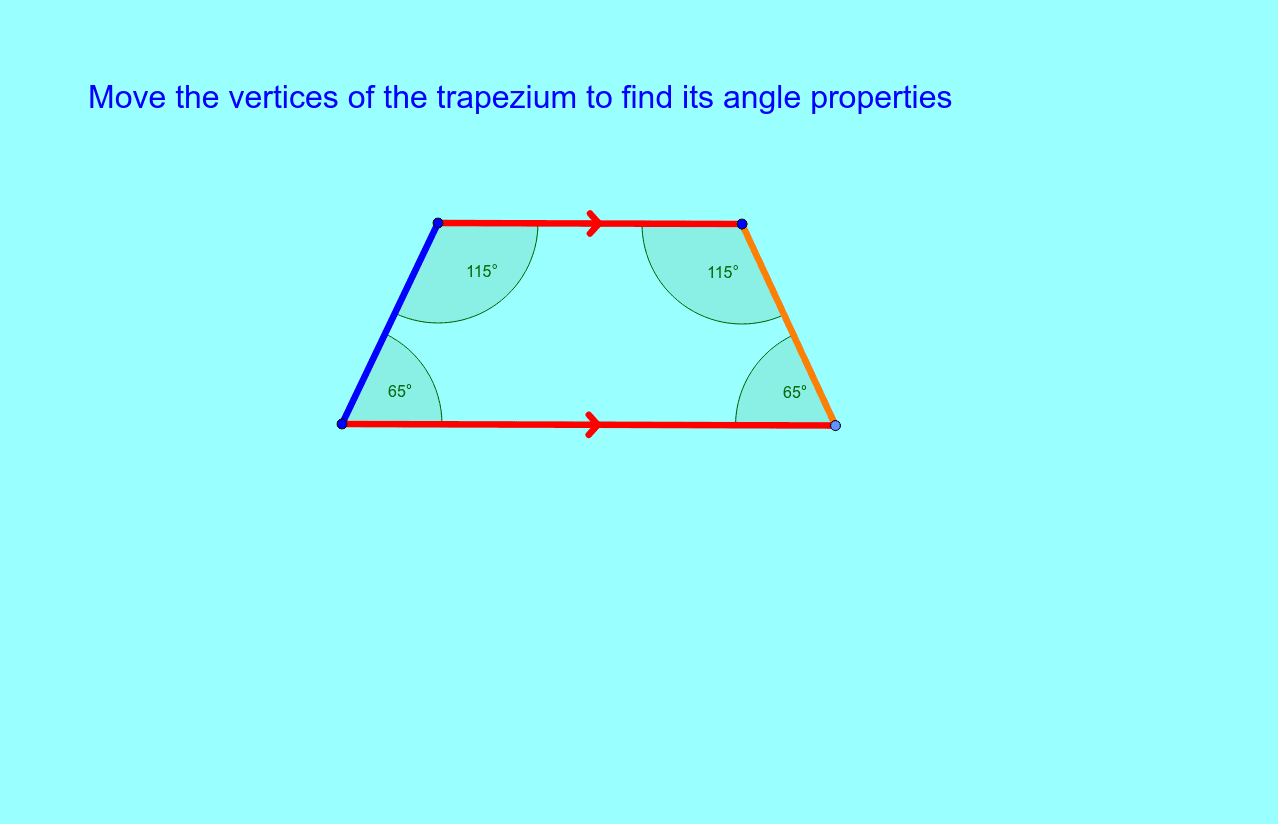
①This example demonstrates how to construct a trapezium (trapezoid) in GeoGebra, showing its four interior angles and side relationships. ②Core mathematical concepts include the definition of a trapezium (one pair of parallel sides), properties of interior angles, and basic geometric construction using segments, lines, and points. ③Construction details: Based on the summary, commands such as Segment, Line, Point, and Angle are used, creating objects A, B, f, C, g, D, h, i, j, angles α, β, γ, δ, and a text label text1. ④Suitable for middle school or high school geometry lessons, helping students visually understand trapezium structure, angle measurement, and fundamental construction techniques, also useful as an introductory dynamic geometry exploration.
GeoGebra Commands & Parameters
Segment(A, B) → fLine(C, f) → gPoint(g) → DSegment(B, D) → hSegment(A, C) → iSegment(C, D) → jAngle(D, C, A) → αAngle(C, A, B) → βAngle(A, B, D) → γAngle(B, D, C) → δ
AI Drawing Prompt Reference
Draw a trapezoid, highlighting its four sides and four interior angles. Start by constructing one pair of parallel sides. Then, from one endpoint of this pair, draw two non-parallel segments to form a quadrilateral. Measure and label the angles to explore their relationships. The construction process demonstrates the fundamental geometric techniques for building a trapezoid and illustrates the relationships between its sides and angles.
The prompt above was compiled from the original drawing commands and is for reference only.