
Trapezium Construction
Loading the math board and drawing, please wait…
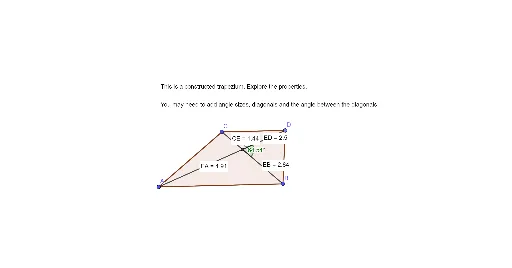
This example demonstrates the construction of a trapezium. Key mathematical concepts include line segments, polygons, and geometric construction. Using GeoGebra commands such as Segment, Line, and Polygon, the construction process is visually illustrated. Suitable for middle school and above students learning geometric construction.
GeoGebra Commands & Parameters
Segment(A, B) → fLine(C, f) → gSegment(C, A) → hPoint(g) → DSegment(D, B) → iSegment(C, D) → jPolygon(C, D, B, A) → q1, c, d, b, aSegment(C, B) → kSegment(A, D) → lIntersect(k, l) → EAngle(k, l) → αDistance(C, E) → distanceCEDistance(E, D) → distanceEDDistance(E, B) → distanceEBDistance(E, A) → distanceEA
AI Drawing Prompt Reference
Draw a trapezium with two parallel bases and two unequal non-parallel sides. Start by drawing a line segment between points A and B as the two vertices of the trapezium. Then, draw a line segment from point A to point C, and another from point B to point D, ensuring that CD is parallel to AB. Next, draw a line segment from point C to point B, and another from point D to point A, forming the other two sides of the trapezium. Finally, connect all points to form the trapezium.
The prompt above was compiled from the original drawing commands and is for reference only.