
Trapezium Area Investigation: Dynamic Construction and Geometric Relations
Loading the math board and drawing, please wait…
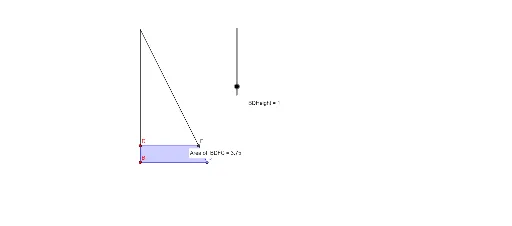
This GeoGebra example demonstrates an interactive investigation of the area of a trapezium (trapezoid). It focuses on the core mathematical concepts of area calculation, polygon geometry, perpendicular heights, and the relationships between vertices, sides, and intersections. The construction uses commands such as Point, Segment, OrthogonalLine, Intersect, Polygon, and PointIn to build the trapezium, its height, and internal points. By dragging the vertices, learners can observe how the area changes with the base lengths and height, reinforcing the formula Area = (a+b)/2 * h. Suitable for middle school or high school geometry classes, this dynamic tool helps students explore area properties, practice geometric construction, and develop spatial reasoning through hands-on manipulation.
GeoGebra Commands & Parameters
Point(xAxis) → BPoint(xAxis) → CSegment(B, C) → gSegment(B, A) → fSegment(C, A) → hPoint(Circle[B, BDHeight]) → DSegment(B, D) → iPoint(g) → EOrthogonalLine(D, f) → jIntersect(j, h) → FPolygon(B, D, F, C) → poly1, b, d, f_1, cPointIn(poly1) → Pointpoly1