
Trapezium Area Calculation by Mark Willis
Loading the math board and drawing, please wait…
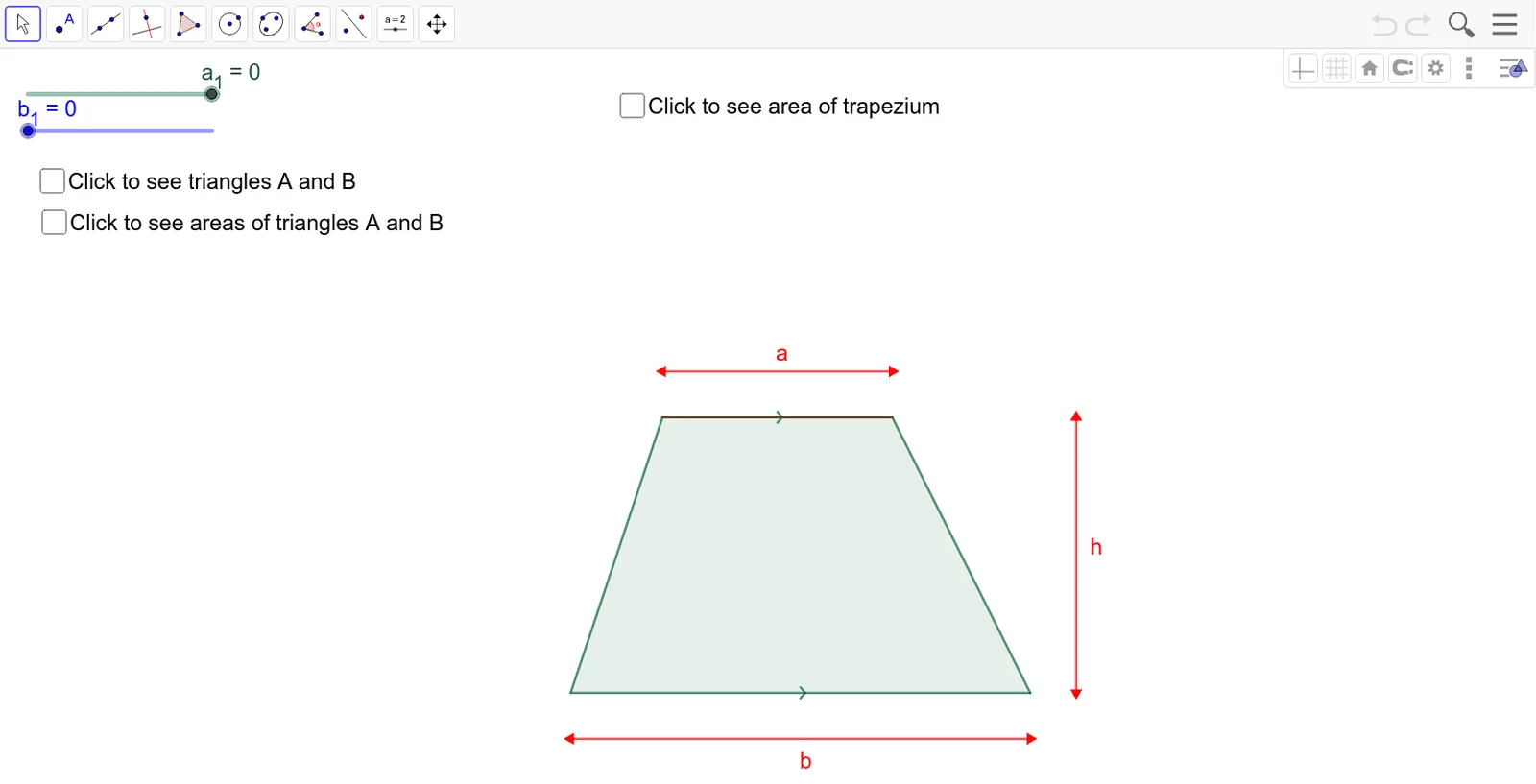
This example demonstrates how to dynamically calculate the area of a trapezium using GeoGebra. It involves core mathematical concepts such as the definition of a trapezium, area formula, and geometric construction. The construction utilizes commands like Intersect (intersection), Point (point), Polygon (polygon), and Segment (segment). It is suitable for middle school and above students to understand trapezium area calculation and geometric construction methods.
GeoGebra Commands & Parameters
Intersect(xAxis, yAxis) → APoint(xAxis) → BPolygon(A, B, C, D) → q1, a_2, b_2, c, dSegment(D, C) → fPolygon(E, F, G) → t1, g, e, f_1Polygon(H, I, J) → t2, j, h_1, iPoint(xAxis) → KSegment(K, L) → hSegment(M, N) → aPoint(yAxis) → OSegment(O, P) → b
AI Drawing Prompt Reference
On a coordinate plane, start at the originhol point, place a point on the horizontal axis as the lower-left vertex, and another point on the vertical axis as the upper-left vertex. Construct a quadrilateral as a trapezium, and draw one of its non-parallel sides. Then, create two triangles adjacent to the trapezium on its sides to assist in area calculation. Next, pick another point on the horizontal axis)Skip, and from it draw a perpendicular segment upward to the trapezium's top base as the height. Finally, pick a point on the vertical axis and draw a horizontal segment to the right as another base. The figure shows a trapezium with auxiliary lines for dynamic area demonstration.
The prompt above was compiled from the original drawing commands and is for reference only.