
Translation Tesselation by jahatch8 (2)
Loading the math board and drawing, please wait…
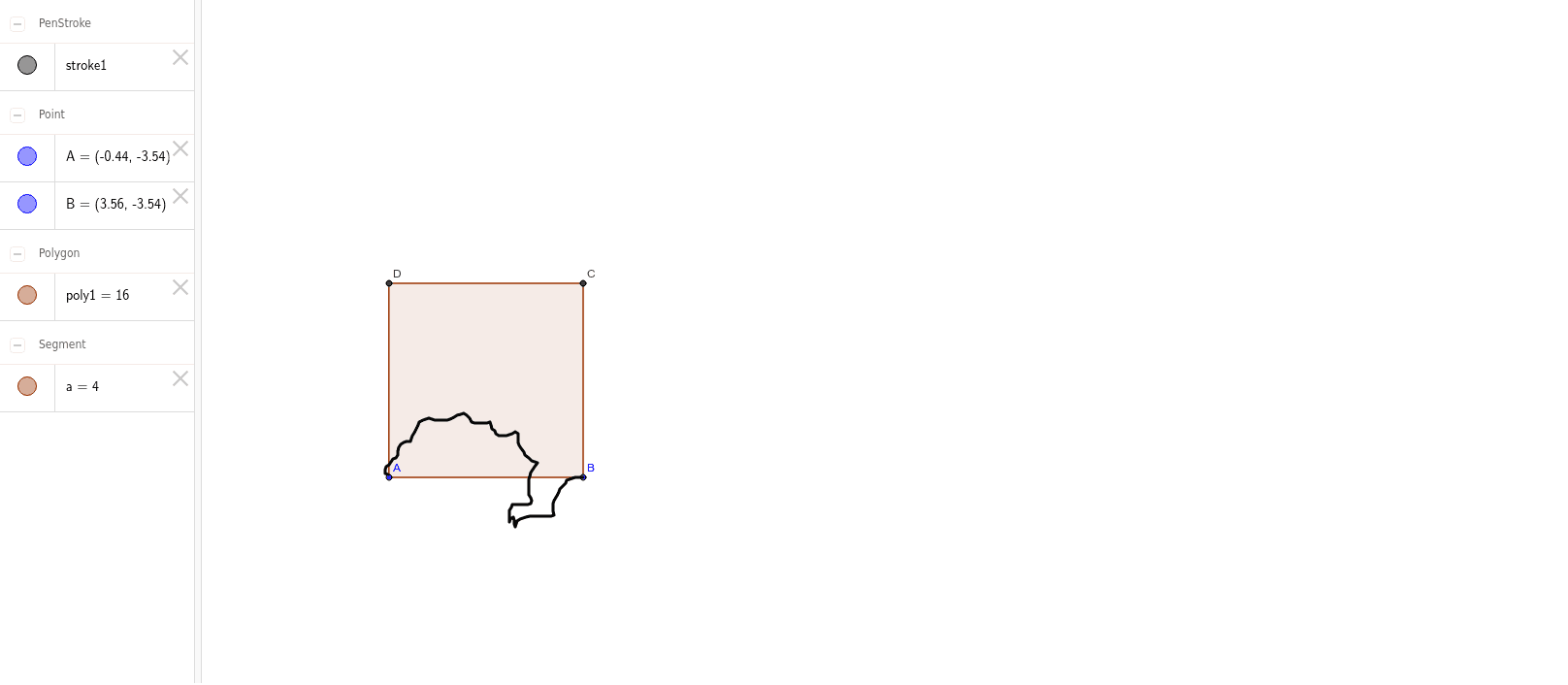
This example demonstrates the creation of plane tesselation patterns through translation operations. Key math concepts include translation transformation, polygon construction, and geometric symmetry. Construction highlights involve using GeoGebra commands like Polygon and AttachCopyToView with objects A, B, poly1, a, b, c, d, C, D. Suitable for middle school and above students learning geometric transformations, spatial geometry, and tesselation, or for math club demonstrations.
GeoGebra Commands & Parameters
Polygon(A, B, 4) → poly1, a, b, c, d, C, DAttachCopyToView(PolyLine[(3.56, -3.54), (3.48, -3.54), (3.4, -3.54), (3.34, -3.56), (3.2800000000000002, -3.58), (3.22, -3.6), (3.2, -3.66), (3.14, -3.72), (3.08, -3.7800000000000002), (3.06, -3.84), (3.02, -3.92), (2.96, -4.0200000000000005), (2.94, -4.08), (2.94, -4.16), (2.94, -4.24), (2.96, -4.32), (2.9, -4.34), (2.8000000000000003, -4.34), (2.7, -4.34), (2.62, -4.34), (2.54, -4.34), (2.46, -4.34), (2.38, -4.36), (2.32, -4.38), (2.2600000000000002, -4.4), (2.2, -4.44), (2.18, -4.5), (2.16, -4.5600000000000005), (2.14, -4.5), (2.14, -4.42), (2.12, -4.36), (2.06, -4.4), (2.04, -4.46), (2.04, -4.38), (2.04, -4.3), (2.04, -4.22), (2.08, -4.16), (2.1, -4.1), (2.18, -4.1), (2.2600000000000002, -4.1), (2.34, -4.1), (2.42, -4.1), (2.48, -4.08), (2.5, -4.0200000000000005), (2.48, -3.96), (2.44, -3.9), (2.44, -3.8200000000000003), (2.44, -3.74), (2.44, -3.66), (2.44, -3.58), (2.46, -3.52), (2.48, -3.44), (2.52, -3.38), (2.56, -3.3200000000000003), (2.62, -3.24), (2.56, -3.22), (2.5, -3.2), (2.44, -3.14), (2.36, -3.08), (2.34, -3.02), (2.2800000000000002, -2.94), (2.24, -2.88), (2.22, -2.82), (2.22, -2.74), (2.22, -2.64), (2.16, -2.6), (2.1, -2.64), (2.04, -2.66), (1.98, -2.68), (1.9000000000000001, -2.68), (1.82, -2.68), (1.76, -2.64), (1.74, -2.58), (1.68, -2.54), (1.6600000000000001, -2.46), (1.6400000000000001, -2.4), (1.58, -2.42), (1.5, -2.42), (1.42, -2.42), (1.32, -2.42), (1.26, -2.4), (1.22, -2.32), (1.16, -2.2600000000000002), (1.1, -2.22), (1.04, -2.24), (0.96, -2.2600000000000002), (0.9, -2.3000000000000003), (0.8200000000000001, -2.34), (0.76, -2.36), (0.68, -2.36), (0.58, -2.36), (0.5, -2.36), (0.44, -2.34), (0.38, -2.32), (0.32, -2.34), (0.26, -2.36), (0.18, -2.4), (0.16, -2.46), (0.12, -2.54), (0.08, -2.62), (0.04, -2.68), (0.02, -2.74), (0, -2.8000000000000003), (-0.08, -2.8000000000000003), (-0.14, -2.82), (-0.2, -2.86), (-0.24, -2.92), (-0.26, -3), (-0.26, -3.08), (-0.3, -3.14), (-0.36, -3.16), (-0.4, -3.22), (-0.44, -3.2800000000000002), (-0.5, -3.3200000000000003), (-0.52, -3.38), (-0.52, -3.46), (-0.46, -3.48), true], 1, (-4.3, -7.96), (23.38, 6.3), (0, 713), (1384, 0)) → stroke1
AI Drawing Prompt Reference
Create a tiling pattern made of multiple quadrilaterals. Start by constructing a quadrilateral with points A and B, then use translation to generate a series of similar quadrilaterals around it, forming a tiling pattern. Ensure the quadrilaterals maintain their shape and size, and use translation to expand the pattern.
The prompt above was compiled from the original drawing commands and is for reference only.