
Translation Sliders
Loading the math board and drawing, please wait…
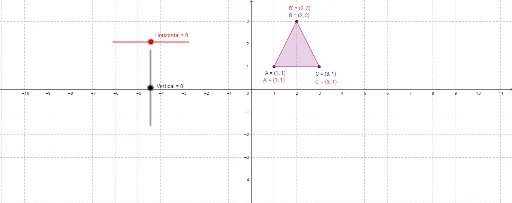
This example demonstrates the concept of translation. By adjusting the sliders, you can observe how the shape changes during the translation process. Key mathematical concepts include translation, square, rotation, integers, similar triangles, and perimeter. The construction uses commands like Polygon, Horizontal, and Vertical in GeoGebra. Suitable for middle school and above students learning geometric transformations.
GeoGebra Commands & Parameters
Polygon(A, B, C) → poly1, c, a_1, b_1Polygon(A', B', C') → poly2, c', a', b'
AI Drawing Prompt Reference
Draw a triangle and create a translated copy of it, keeping both triangles identical in size and shape. Add two sliders to control the horizontal and vertical translation distances. When the sliders are adjusted, the second triangle moves accordingly, visually demonstrating the translation transformation. Both triangles should have solid outlines and may be filled with semi-transparent colors to distinguish them. The overall layout should clearly show the positional relationship before and after translation, suitable for teaching the concept of geometric translation.
The prompt above was compiled from the original drawing commands and is for reference only.