
Translation Demonstration by Nicola Trubridge (3)
Loading the math board and drawing, please wait…
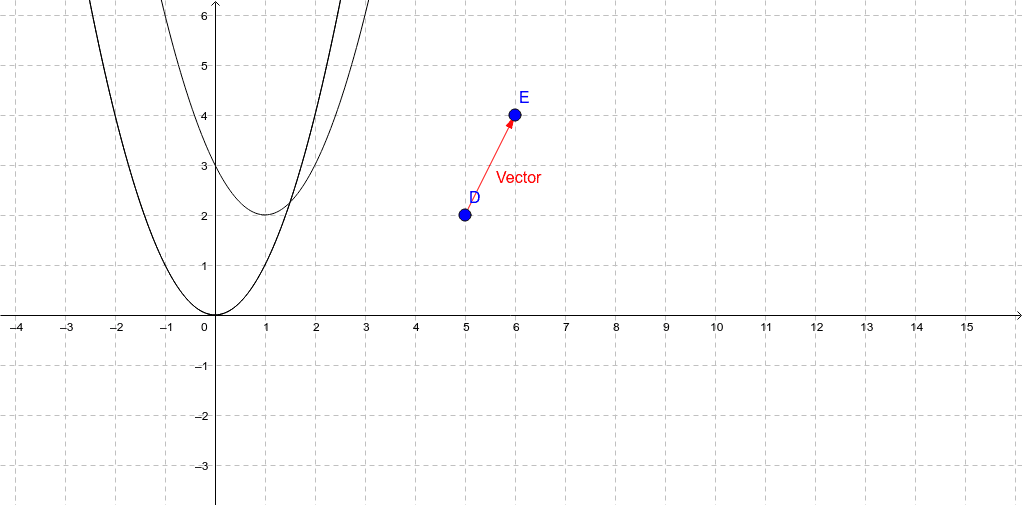
This example demonstrates the application of vector translation in geometric figures. It involves core mathematical concepts such as vectors, translation, polygons, and circles. Construction highlights include using the Vector command to create vectors, and the Translate command for translation, with objects D, E, vectors, and transformed points c', c'_1. Suitable for high school mathematics teaching to understand vector transformations and geometric constructions.
GeoGebra Commands & Parameters
Vector(D, E) → VectorTranslate(c, Vector[(0, 0)]) → c'Translate(c, Vector) → c'_1
AI Drawing Prompt Reference
Draw a geometric figure demonstrating vector translation. Start with a polygon and a circle placed nearby. Create a vector from one vertex of the polygon to another vertex to indicate the translation direction. Translate the entire polygon along this vector to obtain a new polygon, and translate the circle along the same vector to obtain a new circle. Keep all shapes unchanged in size and orientation, only shifting positions, to clearly show the correspondence between original and translated points.
The prompt above was compiled from the original drawing commands and is for reference only.