
Translating Linear Functions
Loading the math board and drawing, please wait…
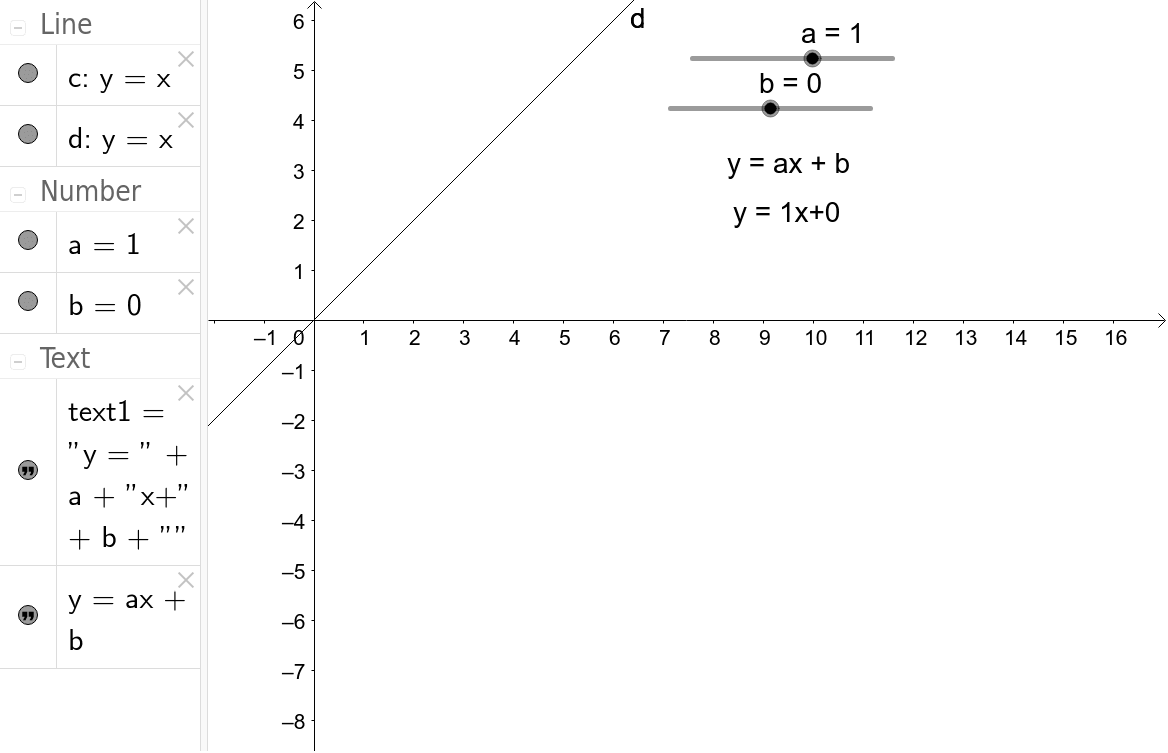
This example demonstrates the translation of linear functions. Key mathematical concepts include the properties of linear functions and their graphical transformations. By adjusting parameters, one can observe changes in the linear function's graph. The construction summary mentions the use of GeoGebra commands such as objects a, b, c, d, which are used to create and manipulate linear functions. Suitable for students in middle school and above to learn about the translation of linear functions.
GeoGebra Commands & Parameters
Numeric a(1.0)Numeric b(0.0)Line c(-1.0, 1.0, 0.0)y = (a * x) + b
AI Drawing Prompt Reference
Draw a line with a slope of 1 and y-intercept of 0. Then change the slope and y-intercept to see how the line translates. Pay attention to the changes in the line to understand the translation of linear functions.
The prompt above was compiled from the original drawing commands and is for reference only.