
Exploring Quadratic Functions by user25347
Loading the math board and drawing, please wait…
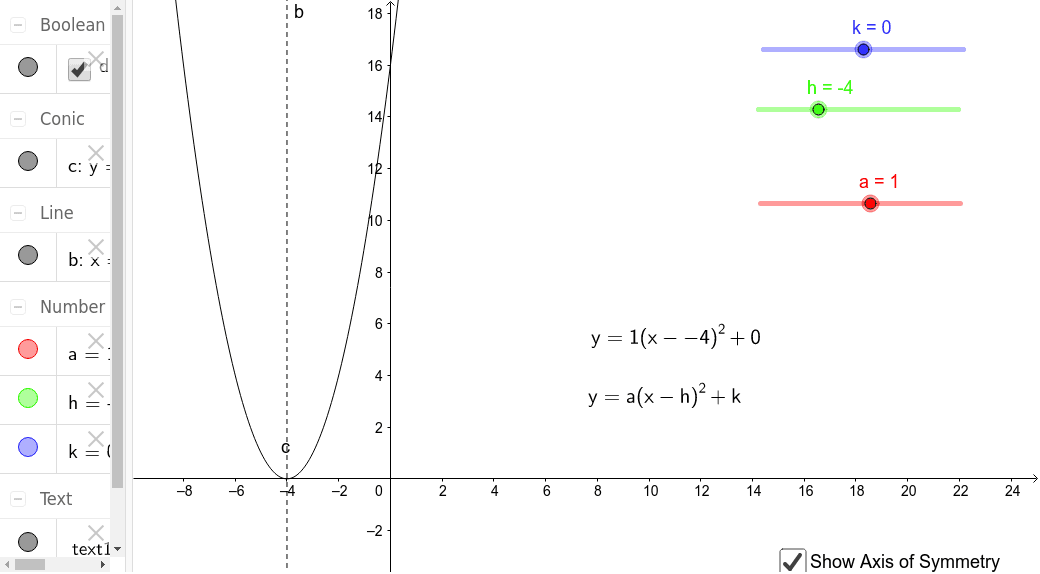
This example demonstrates how students can manipulate sliders to alter the quadratic function displayed. By the end of the task, students will be able to describe how each parameter (like h, k, a, c) affects the function's graph. Key math concepts include properties of quadratic functions and the impact of parameters on the graph. Construction highlights the use of GeoGebra commands/objects such as k, h, a, c, text2, text1, b, d to build and visualize the function graph and its transformations. Suitable for high school students learning about function graph transformations and parameter analysis.
GeoGebra Commands & Parameters
Numeric k(0.0)Numeric h(-4.0)Numeric a(1.0)y = (a * (x - h)^(2)) + kx = hBoolean d(true)
AI Drawing Prompt Reference
Draw a quadratic function graph with three sliders controlling the vertex's x-coordinate, y-coordinate, and the opening coefficient. Display the dynamic effect of the function graph changing with parameter variations. Key objects include sliders, the function graph, and vertex markers. Start with the basic function graph, add sliders and vertex markers, and finally show the impact of parameter changes on the graph.
The prompt above was compiled from the original drawing commands and is for reference only.