
Transformation: Translation - Vector-Driven Geometric Movement
Loading the math board and drawing, please wait…
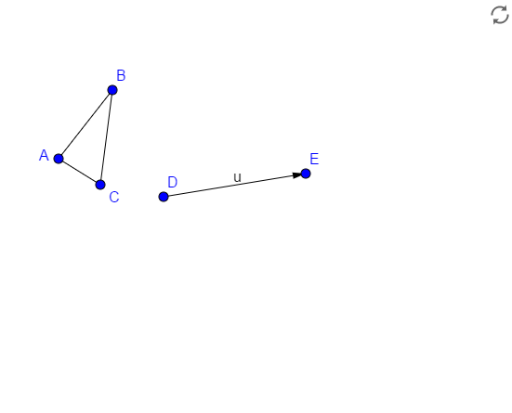
This example demonstrates how to perform a translation transformation on geometric objects using a vector, visually showing the movement of shapes along a specified direction in the plane. The core mathematical concept is translation in Euclidean geometry, a rigid transformation that preserves shape and size while changing position. Construction highlights: using GeoGebra's Segment command to create segments, Vector command to construct the translation vector, and defining points A, B, C along with objects f, g, h, D, E, u, where vector u drives the collective movement of these objects. Suitable for middle and high school geometry classes, helping students understand the definition of translation, vector representation, and the relationship between corresponding points before and after transformation, as well as dynamic demonstrations of translation effects in a coordinate system.
GeoGebra Commands & Parameters
Segment(A, B) → fSegment(B, C) → gSegment(C, A) → hVector(D, E) → u
AI Drawing Prompt Reference
Draw a triangle ABC, then use vector DE to translate this triangle, observing its movement in the plane along a specified direction. First, draw segments AB, BC, and CA, then construct vector DE, and finally translate triangle ABC using vector DE to show the changes in corresponding points before and after the transformation.
The prompt above was compiled from the original drawing commands and is for reference only.