
Transformation of a Sphere: Parametric Surface Deformation
Loading the math board and drawing, please wait…
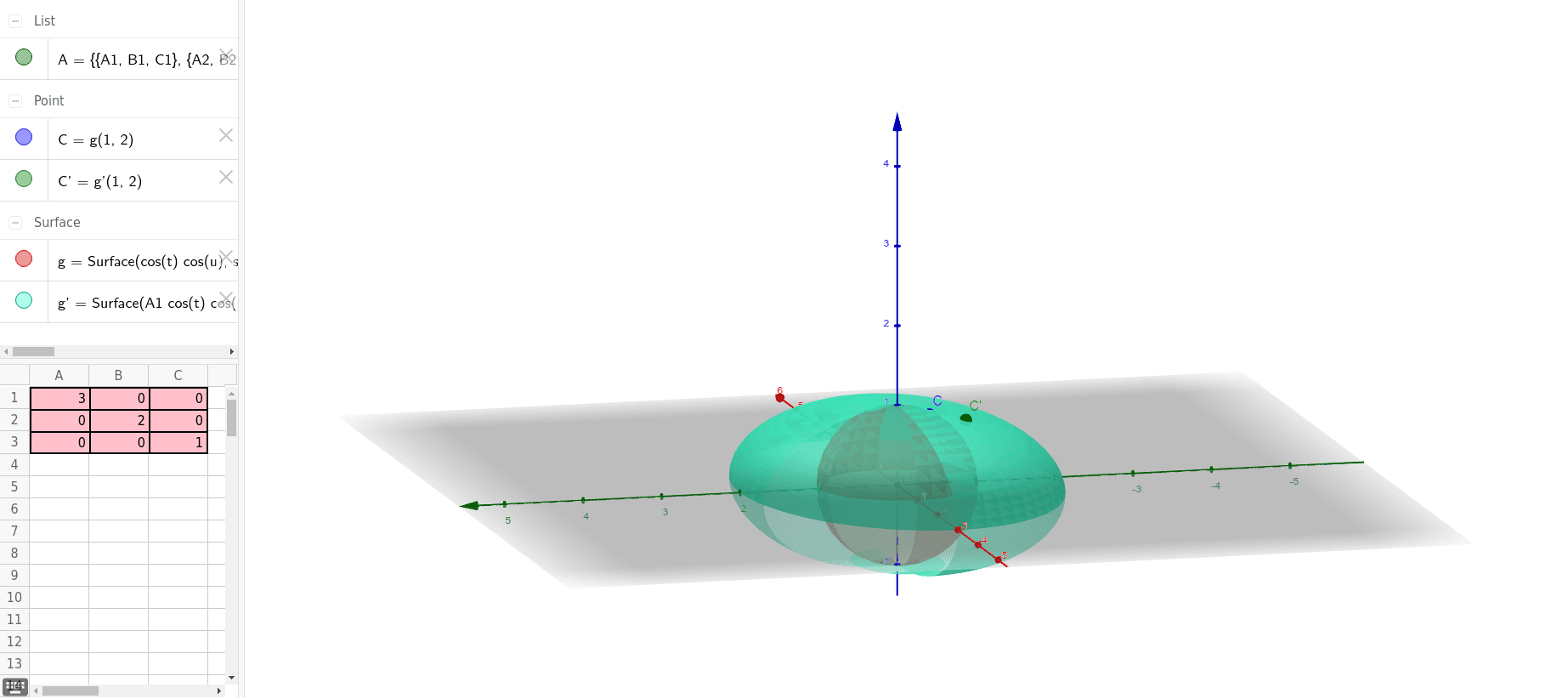
This GeoGebra example demonstrates the geometric transformation of a sphere in 3D space, showing how the sphere can be stretched, twisted, or repositioned by adjusting control points or parameters. The core mathematical concepts involve parametric surfaces (using the Surface command), spatial coordinates, and geometric transformations such as translation, rotation, scaling, or more general affine mappings. The construction uses the Surface command to generate the sphere, linked with multiple objects (A1, A2, A3, B1, B2, B3, C1, C2, C3, A, g, g', C', C) that serve as control points or reference lines, allowing real-time manipulation of the sphere's shape and location. This is suitable for high school to university-level teaching in solid geometry, analytic geometry, or computer graphics, and is ideal for exploring dynamic properties of parametric surfaces and transformation rules.
GeoGebra Commands & Parameters
Surface((cos(t) * cos(u)), (sin(t) * cos(u)), sin(u), t, 0, 5, u, 0, 5) → gSurface(((A1 * cos(t)) * cos(u)) + ((B1 * sin(t)) * cos(u)) + (C1 * sin(u)), ((A2 * cos(t)) * cos(u)) + ((B2 * sin(t)) * cos(u)) + (C2 * sin(u)), ((A3 * cos(t)) * cos(u)) + ((B3 * sin(t)) * cos(u)) + (C3 * sin(u)), t, 0, 5, u, 0, 5) → g'
AI Drawing Prompt Reference
Draw a basic sphere in 3D space, defined by parametric equations covering full ranges in both angular directions. Then, apply an affine transformation to the sphere using a set of control points, producing a deformed surface whose coordinates are linear combinations of the original sphere's coordinates. Place several reference points and lines in space to aid in positioning and observing the transformation. The overall scene illustrates the dynamic process from a regular sphere to a deformed surface, emphasizing how parameter changes affect the geometric shape.
The prompt above was compiled from the original drawing commands and is for reference only.