
Total Internal Reflection - Interactive Animation
Loading the math board and drawing, please wait…
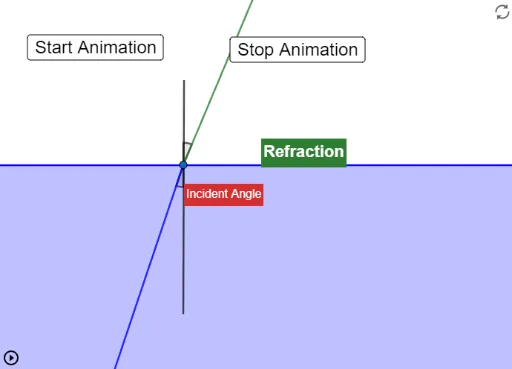
This example demonstrates the phenomenon of total internal reflection. Key mathematical concepts include reflection laws and angle relationships. Using GeoGebra commands such as Point, Angle, If, and Segment, the animation dynamically shows how light behaves when it hits different media interfaces. Suitable for high school physics and mathematics education.
GeoGebra Commands & Parameters
Point(f) → BPoint(f) → CPoint(g) → DPoint(g) → EPoint(f) → HPoint(yAxis) → AAngle(H, B, A) → αPoint(yAxis) → FAngle(E, B, F) → βIf(4.7 < angle < 4.9, "Critical Angle", "Incident Angle") → text2Point(a) → ISegment(G, I) → hIf(angle > 4.9, "Total Internal Reflection", "Refraction") → text1
AI Drawing Prompt Reference
Create an interactive animation demonstrating total internal reflection, showing how light behaves when hitting different media interfaces. Include incident angle α and refracted angle β, display 'Critical Angle' when the angle is between 4.7 and 4.9, and 'Total Internal Reflection' when it's greater. Show light traveling from one medium to another, with angles and segments representing reflection and refraction, dynamically changing to illustrate the light's behavior.
The prompt above was compiled from the original drawing commands and is for reference only.