
Test yourself: Enlargement (Dilation)
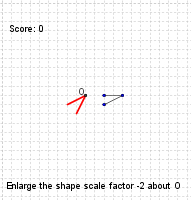
Loading the math board and drawing, please wait…
This example demonstrates the effect of dilation on geometric figures, involving core concepts like scale factors, similar shapes, orthocenters, natural numbers, percentages, numerical calculations, and exponential functions. It utilizes GeoGebra commands such as Random, Element, If, RandomElement, Sequence, Flatten, Shuffle, Take, Point, First, Line, Segment, Dilate, and Distance, with objects like factors, type, fractionAllowed, sf, step, D, list1, list2, list3, list6, A, i, list4, list5, C, B, lineAB, a, E, F, d, G, e, O, B', CC, C', b', A', correct, button1, wellDone, score, text1, finished, g, b, h, text3. Suitable for middle school students and above to learn geometric transformations and proportional relationships.
GeoGebra Commands & Parameters
Random(1, 5) → typeElement({false, true, false, false, true}, type) → fractionAllowedElement(factors, type) → sfIf(round(sf) ≟ sf, 1, 2) → stepRandomElement({(2, 3), (3, 3), (3, 2), (1, 3)}) → DSequence(Sequence[(i, j), i, 1, 6 / abs(sf), step], j, 1, 6 / abs(sf), step) → list1Flatten(list1) → list2Shuffle(list2) → list3Take(list3, 3, 3) → list6Point(list6) → ARandom(1, 3) → iFirst(list3, 1) → list4Take(list3, 2, 2) → list5Point(list6) → CPoint(list5) → BLine(A, B) → lineABSegment(A, B) → aSegment(E, F) → dSegment(F, G) → eRandomElement({(3, 3), If[fractionAllowed, (2.5, 2.5), (3, 3)]}) → ODilate(B, sf, O) → B'If(Distance[C, lineAB] ≟ 0, C + (step * (sgn(x(lineAB)), sgn(y(lineAB)))), C) → CCDilate(CC, sf, O) → C'Segment(B', C') → b'Dilate(A, sf, O) → A'Segment(B, CC) → bDistance(C, Line[A, B]) → h
AI Drawing Prompt Reference
Illustrate the effect of dilation on a geometric figure with a randomly chosen center point and an initial shape. Determine a random scale factor and scale the initial shape to create a new figure under this factor. Display the original and dilated shapes, highlighting their relationships with the center point. Calculate and show the distance from key points to a line, and emphasize the proportional relationships between the shapes to demonstrate similarity and scaling transformations.
The prompt above was compiled from the original drawing commands and is for reference only.