
Tennis Ball and Sphere Parametric Equation
Loading the math board and drawing, please wait…
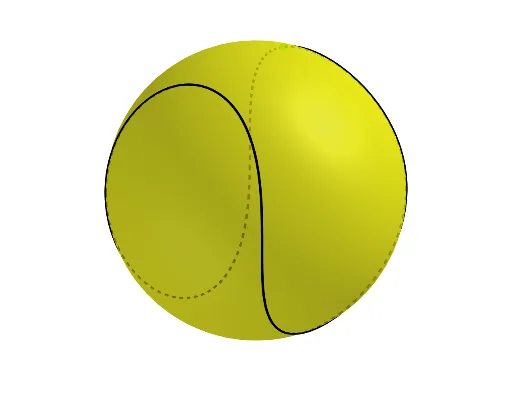
This example demonstrates how to draw a tennis ball (sphere) using parametric equations and shows its coordinate transformations in 3D space. The core mathematical concepts involved include parametric equations, sphere, coordinate systems, trigonometric functions (sine and cosine), and geometric transformations. The construction uses commands/objects like Sphere, CurveCartesian, and Point from GeoGebra. It is suitable for high school and above students learning parametric equations, solid geometry, and coordinate systems, as well as for initial visualization of ball motion in physics.
GeoGebra Commands & Parameters
Sphere(O, a + b) → dCurveCartesian((a * cos(t)) + (b * cos((3 * t))), (a * sin(t)) - (b * sin((3 * t))), (c * sin((2 * t))), t, (-π), π) → fPoint(f) → A
AI Drawing Prompt Reference
Draw a 3D tennis ball represented as a sphere with a radius equal to the sum of two parameters. On or near the sphere, add a parametric curve defined by three trigonometric components: the x-coordinate is a combination of cosine terms, the y-coordinate combines sine terms, and the z-coordinate is a sine of double the parameter. The parameter ranges from negative pi to positive pi. Place a movable point on this curve to indicate a position along it. The overall scene should clearly show the sphere, the curve, and the point in space, suitable for teaching parametric equations and solid geometry.
The prompt above was compiled from the original drawing commands and is for reference only.