
Task 7: Isosceles Right Triangles with Tangent and Secant Lines
Loading the math board and drawing, please wait…
In collections
Special Right Triangle (1): Thinking Classroom Exploration
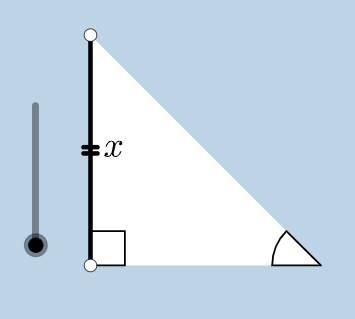
This GeoGebra example showcases a complex construction combining isosceles right triangles, tangent and secant lines, and multiple geometric transformations. It demonstrates how to build a figure using circles, segments, orthogonal lines, rotations, dilations, vectors, and translations. The core mathematical concepts include properties of isosceles and right triangles, tangent and secant relationships, angle measures, and transformation geometry. The construction employs commands like Circle, Segment, OrthogonalLine, Rotate, Angle, Ray, Intersect, Polygon, Line, Point, Dilate, CircleSector, Vector, and Translate, resulting in a rich set of objects including triangles, polygons, sectors, and vectors. This example is ideal for high school or college students and teachers to explore dynamic geometry, transformation effects, and the interplay between lines and circles. It also integrates parametric curves and statistical charts (bar chart, boxplot) for a multidisciplinary approach.
GeoGebra Commands & Parameters
Circle(B, C) → cSegment(B, C) → aOrthogonalLine(C, a) → bRotate(C, 45°, B) → C'Angle(C, B, C') → αRay(B, C') → dIntersect(b, d) → ASegment(A, C) → eSegment(B, A) → fPolygon(B, C, A) → poly1, a_1, b_1, c_1Line(B, C) → hPoint(h) → DPoint(h) → ERay(C, E) → iPoint(i) → FRay(C, F) → jDilate(B, If[0 < g ≤ 1, 1 - g, 0], C) → B'Segment(B, B') → kDilate(C, If[1 < g ≤ 2, 2 - g, 0], A) → C'_1Segment(C, C'_1) → lCircle(C, (0.2 * a)) → pIntersect(p, j, 1) → GIntersect(p, e, 1) → HIntersect(p, a, 1) → ICircle(A, (0.2 * a)) → qIntersect(q, e, 1) → JIntersect(q, f, 1) → KCircleSector(C, H, I) → sDilate(A, If[2 < g ≤ 3, 3 - g, 0], B) → A'Segment(A, A') → mCircleSector(A, K, J) → tRotate(s, If[3.5 < g ≤ 4.5, ((-(g - 3.5)) * pi / 2), -1.5707963267948966], C) → s'Dilate(A, If[5.5 < g ≤ 6.5, 6.5 - g, 0], B) → A'_1Vector(A, A'_1) → uTranslate(t, u) → t'Rotate(B, If[16 < g ≤ 17, ((-(g - 16)) * pi / 2), ((-pi)) / 2], C) → B'_1Rotate(B', If[4.5 < g ≤ 5.5, ((-(g - 4.5)) * pi / 2), -1.5707963267948966], C) → B''Segment(B'_1, B'') → k'Rotate(t', If[6.5 < g ≤ 7.5, (((-(g - 6.5)) * 5) * pi / 4), -3.92699], B) → t''Dilate(A, If[7.5 < g ≤ 8.5, 8.5 - g, 0], C) → A'_2Vector(A, A'_2) → vTranslate(t, v) → t'_1Rotate(t'_1, If[8.5 < g ≤ 9.5, (((-(g - 8.5)) * 3) * pi / 4), -2.356194490192345], C) → d_1Dilate(A, If[9.5 < g ≤ 10.5, 10.5 - g, 0], C) → A'_3Vector(A, A'_3) → wTranslate(t, w) → t'_2Rotate(t'_2, If[10.5 < g ≤ 11.5, ((-(g - 10.5)) * pi / 2), -1.5707963267948966], C) → e_1Angle(C, B, B'_1) → γAngle(B, C'_1, C) → βAngle(C'_1, C, B) → δCircle(B, (0.2 * a)) → r
AI Drawing Prompt Reference
Draw an isosceles right triangle ABC with AB and BC as the legs. Then draw the perpendicular bisector b of BC with C as the center. Rotate C by 45 degrees to get C', and draw the angle ∠C. Next, draw a ray d from C' and intersect it with b to get point A. Connect AC and AB to form triangle AEC. Then draw a line h through B, and intersect it with h to get points D and E. Draw a ray i from E and intersect it with i to get point F. Next, draw a circle p with C as the center and 0.2 times the length of BC as the radius, and intersect it with ray j and e to get points G and H, and with side a to get point I. Then draw a circle q with A as the center and 0.2 times the length of AB as the radius, and intersect it with e and f to get points J and K, and draw sector CHI. Finally, draw a circle q with A as the center and 0.2 times the length of AB as the radius, and intersect it with e and f to get points J and K, and draw sector CHI.
The prompt above was compiled from the original drawing commands and is for reference only.