
Tangent to Hyperbola from an External Point
Loading the math board and drawing, please wait…
In collections
Conics Doug Kuhlmann
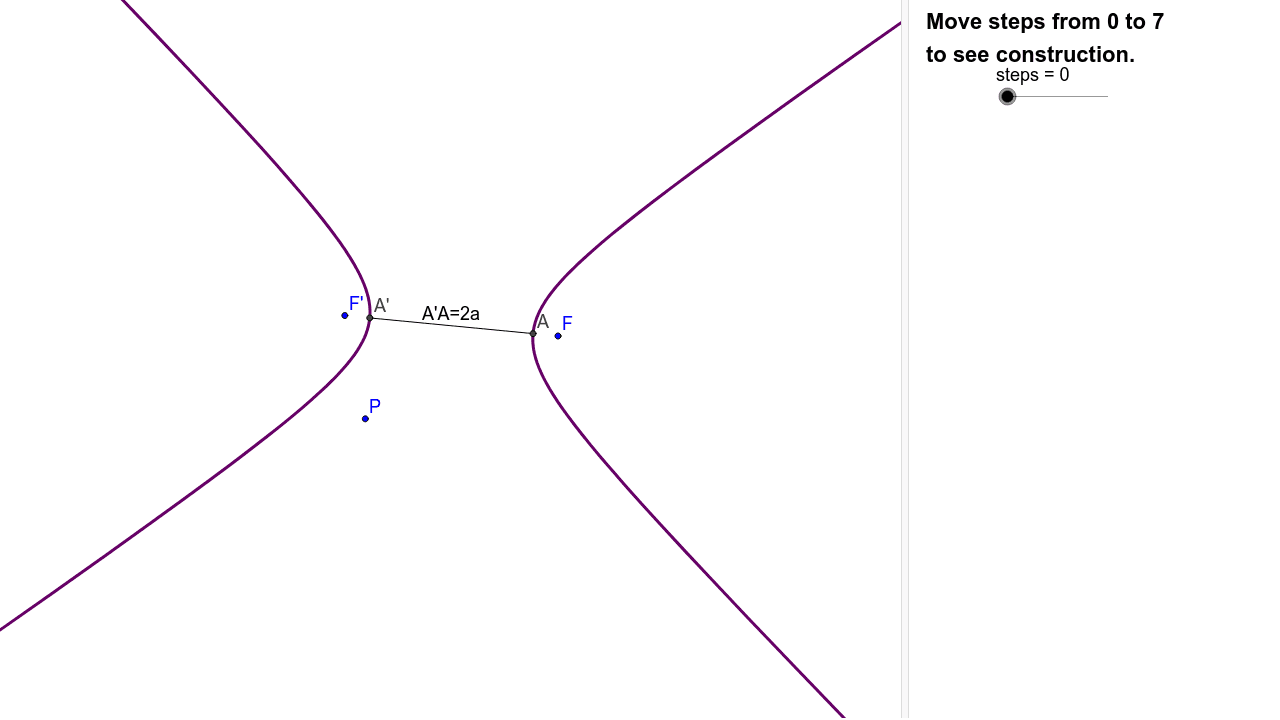
This example demonstrates how to construct the two tangents from an external point to a hyperbola, and dynamically shows how the tangent points and lines change as the external point moves. The core mathematical concepts include the definition and geometric properties of a hyperbola, the construction of tangents, and the existence and uniqueness of tangents from an external point. Construction highlights: using GeoGebra commands such as Hyperbola, Line, Intersect, Segment, Circle, and Ray to create auxiliary circles and intersection points; objects like CirclePF and CircleF'2a reflect the relationship between foci and the transverse axis; points PointQ and PointT mark the tangent points; boolean objects CanShow and OtherTangent control the visibility of the tangents. Suitable for high school or college analytic geometry courses to provide an intuitive understanding of tangent construction and dynamic behavior.
GeoGebra Commands & Parameters
Hyperbola(F', F, C) → cLine(F', F) → aIntersect(c, a) → A, A'Segment(A', A) → bCircle(F', b) → dCircle(P, F) → eIntersect(d, e, 1) → QLine(F', Q) → fIntersect(c, f, 1) → TLine(P, T) → gSegment(F', Q) → hRay(F', Q) → iSegment(T, F) → jSegment(F, P) → kSegment(P, Q) → l
AI Drawing Prompt Reference
Draw a hyperbola and construct two tangents from an external point P, where T is the intersection of the tangent f and the hyperbola c, and f is the line connecting focus F' and point Q. Use auxiliary circles d and e to determine the position of point Q, which is one of the intersection points of circles d and e. Points Q and P are used to construct the tangent f, which intersects the hyperbola c at point T.
The prompt above was compiled from the original drawing commands and is for reference only.