
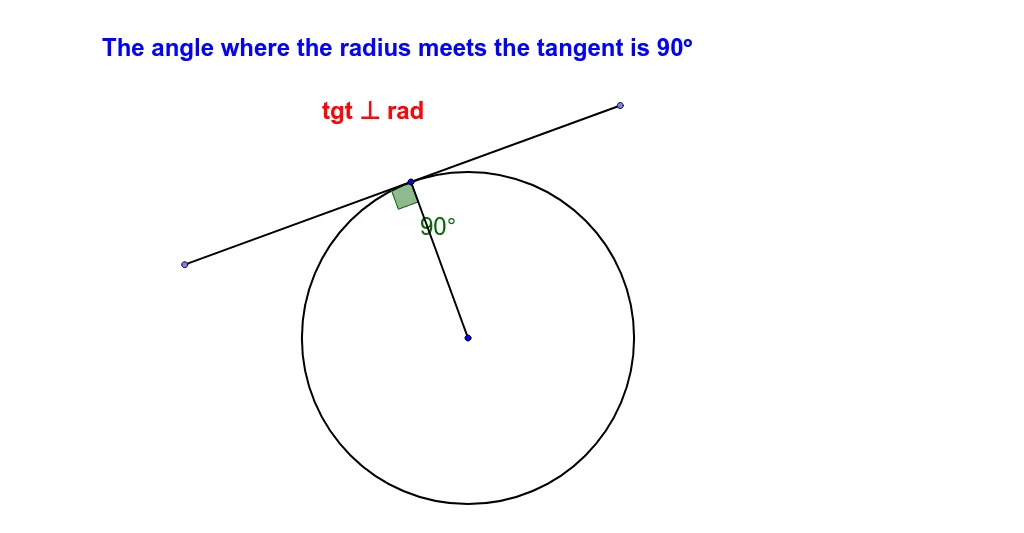
Tangent Meets Radius at 90 Degrees
Loading the math board and drawing, please wait…
In collections
Circle Geometry
This GeoGebra example demonstrates the fundamental circle geometry property that a tangent line at a point on a circle is perpendicular to the radius drawn to that point, forming a 90-degree angle. It involves core concepts such as tangent lines, perpendicularity, angle measurement, and the use of isosceles triangles in geometric reasoning. The construction uses GeoGebra commands including Polygon, Angle, Circle, Segment, Tangent, and Point to create the circle, tangent line, radius, and auxiliary triangles, with angle tools marking the right angle. Suitable for middle and high school geometry classes to visualize and prove the tangent-radius theorem.
GeoGebra Commands & Parameters
Polygon(E_1, H_1, G_1, F_1) → poly1, e_2, h_2, g_2, f_2Angle(G_1, F_1, E_1) → λAngle(E_1, H_1, G_1) → ξAngle(F_1, E_1, H_1) → οAngle(H_1, G_1, F_1) → ρCircle(A_2, B_2) → a_2Segment(A_2, B_2) → b_2Tangent(B_2, a_2) → c_2,Point(c_2) → C_2Point(c_2) → D_2Segment(C_2, D_2) → d_2Angle(A_2, B_2, D_2) → α_1
AI Drawing Prompt Reference
Draw a circle and from a point on its circumference, draw a tangent line and a radius to that point, showing that the tangent is perpendicular to the radius forming a 90-degree angle. Use auxiliary segments and angle tools to mark relevant angles and construct auxiliary triangles to prove the tangent-radius theorem.
The prompt above was compiled from the original drawing commands and is for reference only.