
Surface Area of a Sphere by Mark Dabbs
Loading the math board and drawing, please wait…
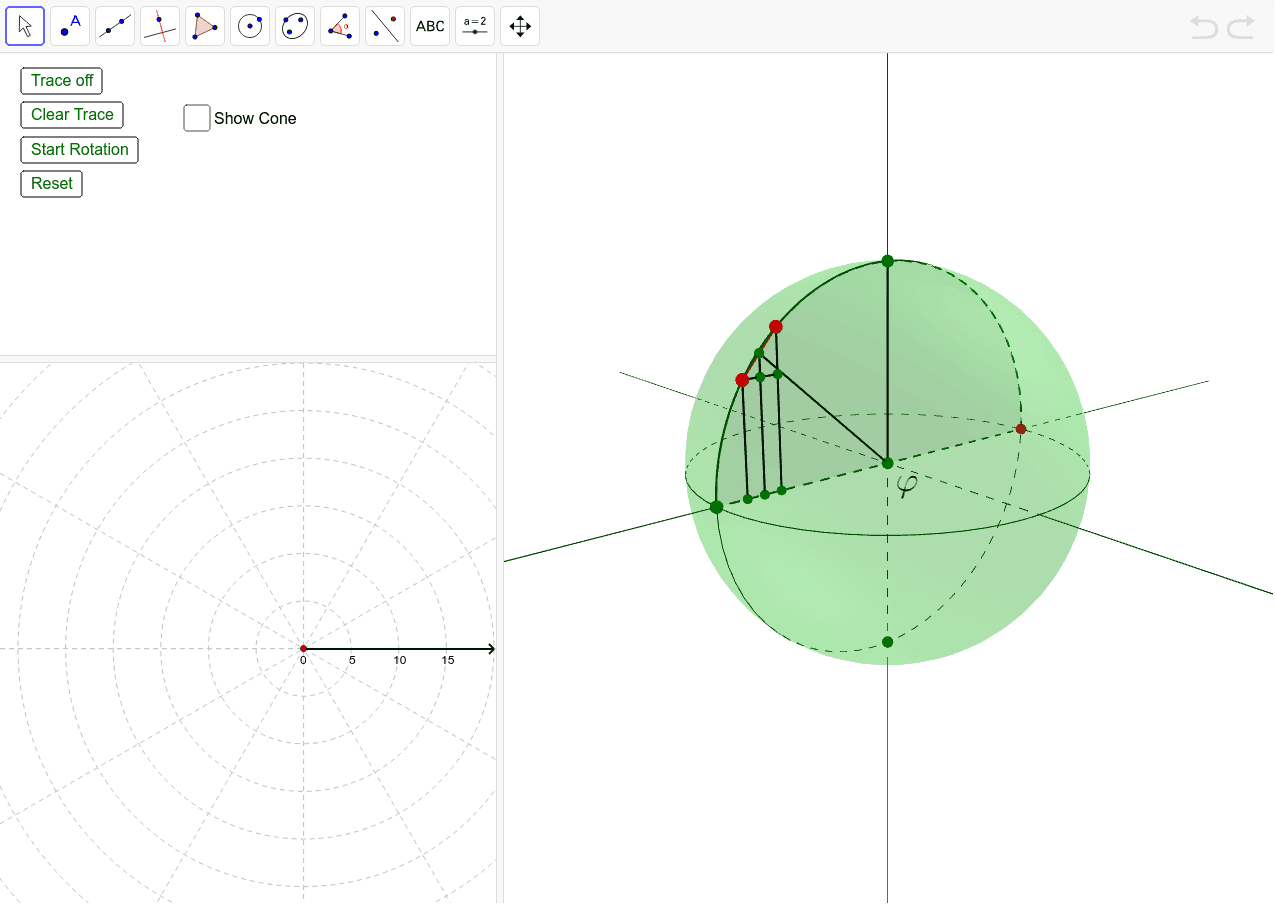
This example demonstrates the calculation of a sphere's surface area. Key concepts include the geometric properties of a sphere and rotation. Using GeoGebra commands such as Point, Line, Sphere, and Rotate, the process of generating a sphere is dynamically shown. Suitable for high school and above students learning solid geometry.
GeoGebra Commands & Parameters
Point(xAxis) → ALine(A, A') → bSphere(O, A) → aLine(B, B') → cLine(C, C') → dCircle(A, C, A') → eCircle(B, C, B') → fRotate(C, (-α), b) → DCircle(A, B, A') → gCircumcircleSector(A, D, A') → SlicePoint(Slice) → EPoint(Slice) → FSegment(E, F) → iMidpoint(E, F) → GSegment(G, O) → jSegment(D, O) → kLine(F, k) → lLine(G, k) → mLine(E, k) → nLine(E, b) → pIntersect(p, l) → HIntersect(m, p) → IIntersect(b, n) → JIntersect(b, m) → KIntersect(b, l) → LSegment(E, H) → qSegment(F, L) → rSegment(G, K) → sSegment(E, J) → tSegment(E, F) → SegTraceCircle(b, F) → c_1Circle(b, E) → d_1IntersectIntersect(c_1, e) → M, N, ,IntersectIntersect(d_1, e) → P, Q, ,IntersectIntersect(c_1, g) → R, S, ,IntersectIntersect(d_1, g) → T, U, ,Rotate(C, (-α), b) → C'_1Rotate(c_1, (-(α / 2)), b) → e_1Rotate(M, (-hα), b) → M'Rotate(P, (-hα), b) → P'CircumcircleArc(M, M', F) → f_1CircumcircleArc(P, P', E) → g_1Point(SegTrace) → VPoint(t) → WRay(F, E) → a_1Intersect(a_1, b) → ZDistance(J, P) → topRadPoint(b) → A_1Point(b) → B_1Cone(J, Z, topRad) → b_1, h_1, EndConeCircle(b, F) → k_1Distance(Z, L) → h_DDistance(F, Z) → distanceFZIntersect(xAxis, yAxis) → C_1Distance(E, F) → l_DRotate(D_1, θ, C_1) → F_1Rotate(E_1, θ, C_1) → G_1CircleArc(C_1, D_1, F_1) → hCircleSector(C_1, E_1, G_1) → p_1Segment(D_1, C_1) → i_1Segment(F_1, C_1) → j_1Sequence(Segment[Rotate[D_1, k°, C_1], Rotate[E_1, k°, C_1]], k, 1, Maxk) → list1
AI Drawing Prompt Reference
Draw a sphere to demonstrate the calculation of its surface area. Start by plotting points and lines on the coordinate axis to form the sphere. Then, use rotation and circle constructions to create cross-sections and traces. Finally, add multiple helper lines and arcs to clearly show the geometric properties and rotational relationships of the sphere, suitable for high school students learning solid geometry.
The prompt above was compiled from the original drawing commands and is for reference only.