
Subtraction with money using vector construction
Loading the math board and drawing, please wait…
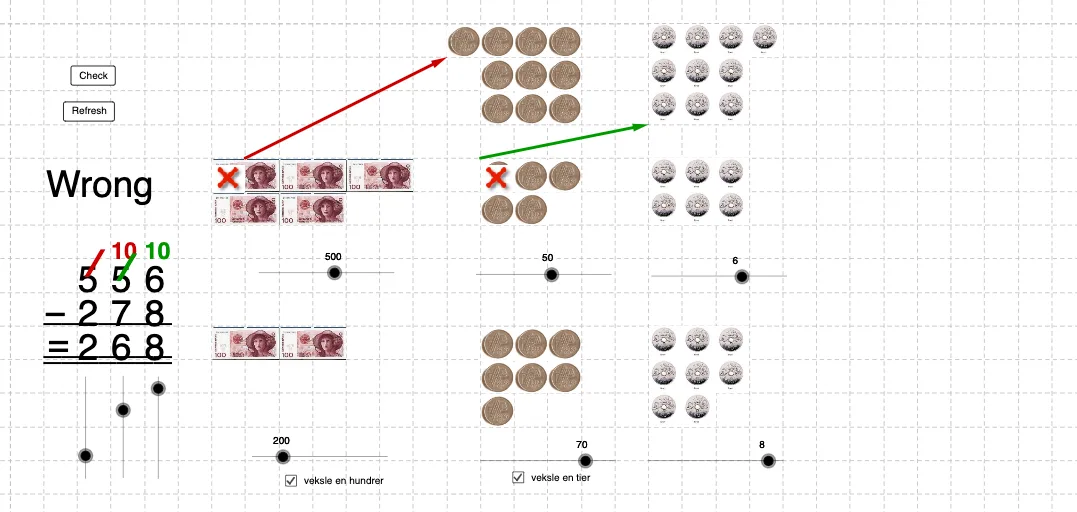
This example demonstrates subtraction in a “money” context by representing amounts with grouped components and then performing the corresponding difference to obtain a new visual result. The core math ideas are vector-based representation of quantities, the geometric meaning of subtraction (difference as a constructed result), and an intuitive place-value/counting interpretation for the remaining amount. Construction-wise, the build summary shows that GeoGebra primarily uses the Vector command to create many key objects (e.g., A, C, E, F, H, J and others) and multiple image/visual elements (bilde1 through bilde13) for the step-by-step money display. It also includes objects tied to denomination components (Hundrere, tiere, enere) to structure hundreds, tens, and ones contributions before taking their differences. Additional labeled objects (B, D, G, I, K, L, M–Z, etc.) serve as intermediate points/vectors or references to assemble the subtraction outcome. Suitable for primary-to-middle school instruction and for classroom demonstrations introducing vectors as a tool to interpret subtraction.
GeoGebra Commands & Parameters
Vector(J_4, I_4) → uVector(H_3, L_4) → vVector(H_4, T_4) → w
AI Drawing Prompt Reference
Create a coordinate-plane diagram illustrating a vector subtraction setup. Place labeled points so that there is one vector from point I to point J, a second vector from point L to point H, and a third vector from point H to point T. Draw the three vectors with their start and end points matching these relations, arranged clearly for comparison and to support the idea of forming a difference. First position the needed endpoints, then sequentially render the three vectors from each start point to its corresponding end point.
The prompt above was compiled from the original drawing commands and is for reference only.