
Straight Line Equation Quiz
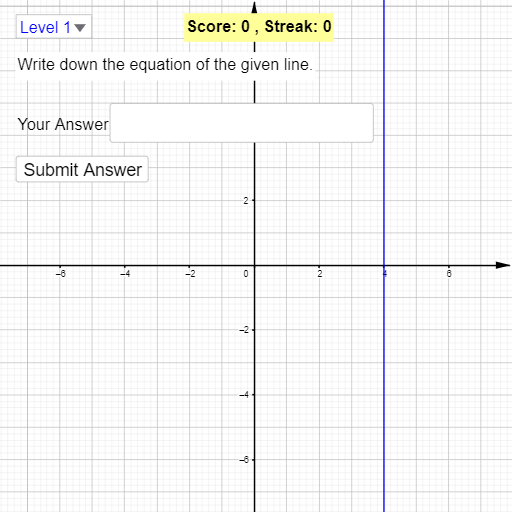
Loading the math board and drawing, please wait…
This example demonstrates an interactive quiz for solving and verifying linear equations. It involves core math concepts like linear equations, coordinate geometry, random number generation, and interactive calculations. GeoGebra commands used include Line, Random, RandomElement, Text, Textfield, Solve, Intersect, Defined, and Slider. Suitable for high school students to enhance their understanding and computational skills in linear equations.
GeoGebra Commands & Parameters
Line(C, D) → jRandom(-9, 9) → y_bRandom(-9, 9) → y_aRandom(-9, 9) → x_bRandom(-9, 9) → x_aLine(A, B) → iRandom(1, 4) → choiceRandomElement({-4, -3, -2, -1, 1, 2, 3, 4}) → mRandom(-9, 9) → cRandomElement(L) → L3ansText(f) → ans1Text(g) → ans2Text(h) → ans3Textfield(stdEq) → InputBox1Solve({stdEq, L3ans}) → l1Intersect(h, x = 1) → FIntersect(h, x = 3) → EIntersect(L3ans, x = 0) → L3_{yint}Defined(Slope[L3ans]) → L3_{slope}
AI Drawing Prompt Reference
Draw a line with a slope of 4 or -4 and a y-intercept between -9 and 9. Create a random linear function and find its intersection with the line. Draw perpendicular lines at x=1 and x=3, and label the feet of the perpendiculars. Generate text boxes for the linear equation and its solution.
The prompt above was compiled from the original drawing commands and is for reference only.