
SSA Congruence and Geometric Construction
Loading the math board and drawing, please wait…
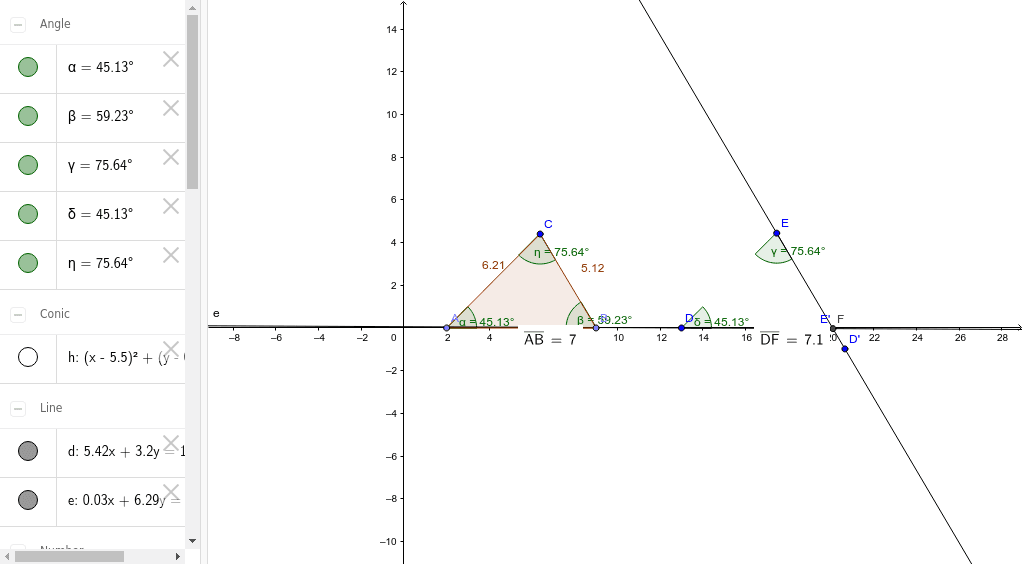
SSA congruence is a key concept in geometry, determining triangle congruence based on two sides and the included angle. This example demonstrates how to use GeoGebra to construct and verify triangles. The main mathematical concepts involve triangle congruence, geometric construction techniques, and calculations of angles and distances. Construction steps include using commands like Point, Polygon, Angle, and Distance to create triangles, and Intersect to verify congruence. Suitable for middle school or high school students learning geometry, or for educational demonstrations.
GeoGebra Commands & Parameters
Point(xAxis) → APoint(xAxis) → BPolygon(A, B, C) → poly1, c, a, bAngle(B, A, C) → αAngle(C, B, A) → βDistance(A, B) → distanceABAngle(A, C, B) → ηCircle(C, A, B) → hCircumference(h) → circumferencehRotate(D, 75.64*°, E) → D'Angle(D, E, D') → γRotate(E, 314.87*°, D) → E'Angle(E', D, E) → δLine(E, D') → dLine(D, E') → eDistance(D, e) → distanceDeIntersect(d, e) → FDistance(D, F) → distanceDF
AI Drawing Prompt Reference
Draw a triangle ABC with AB=3, AC=4, and angle BAC=60 degrees. Use rotation and intersection commands to construct a congruent triangle A'B'C' and measure the lengths of its sides and angles.
The prompt above was compiled from the original drawing commands and is for reference only.