
Square Root Rule Demonstration
Loading the math board and drawing, please wait…
In collections
animation Constructions
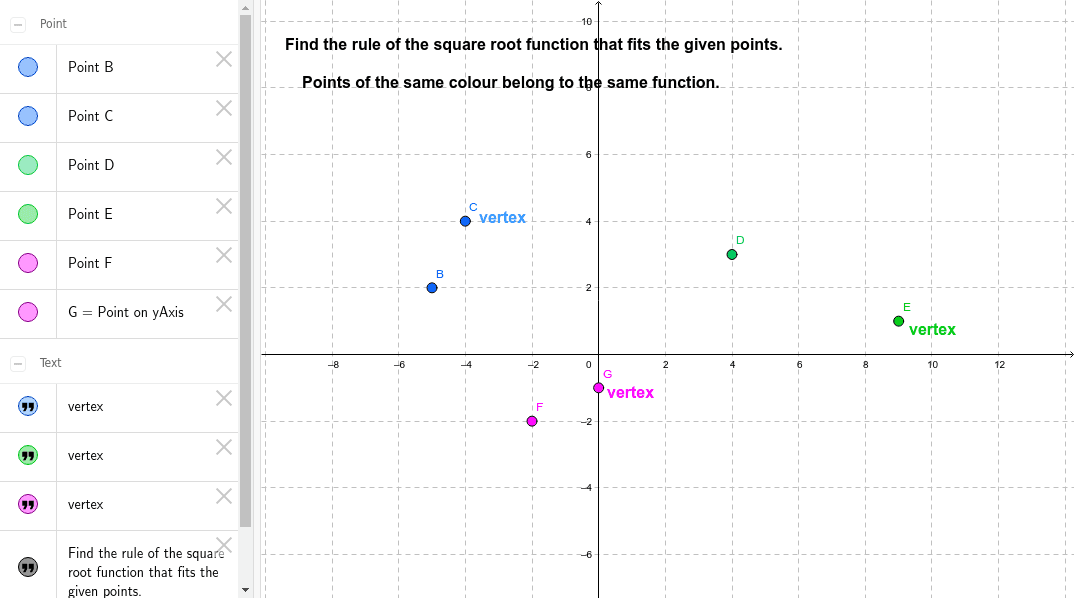
This example guides students to construct an equilateral triangle using coordinates, exploring symmetry and the relationship with square roots. It involves core math concepts like coordinate geometry, symmetry, properties of equilateral triangles, and square root applications. Key GeoGebra commands used include Point for creating points B, C, D, E, F, G, and text objects for displaying calculations and verifying the rule. Suitable for middle school and above, demonstrating the practical application of combining coordinate geometry with geometric transformations.
GeoGebra Commands & Parameters
Point(yAxis) → G
AI Drawing Prompt Reference
Draw a coordinate system and create a point on the y-axis to demonstrate how to construct an equilateral triangle using coordinate geometry, exploring symmetry and the relationship with square roots, with text objects to display calculations and verify the rule.
The prompt above was compiled from the original drawing commands and is for reference only.