
Square Locus and Geometric Construction
Loading the math board and drawing, please wait…
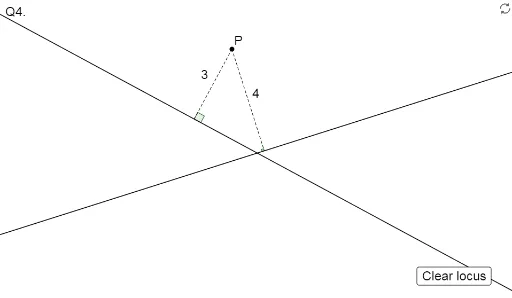
This example demonstrates the formation and geometric properties of the locus when a vertex of a square moves. It involves core concepts like square definition, coordinate geometry, vectors, angles, tangents, and angle bisectors. Construction uses commands such as Line, OrthogonalLine, Intersect, Segment, AngularBisector, and Angle. Suitable for high school mathematics teaching and geometric construction practice.
GeoGebra Commands & Parameters
Line(A, B) → ABLine(D, C) → CDOrthogonalLine(P, AB) → cOrthogonalLine(P, CD) → dIntersect(AB, c) → GIntersect(CD, d) → HSegment(P, G) → eSegment(P, H) → fAngularBisector(AB, CD) → g, hOrthogonalLine(P, h) → L_1OrthogonalLine(P, g) → L_2Intersect(h, L_1) → Q2Intersect(g, L_2) → Q1Intersect(AB, CD) → EAngle(P, G, E) → αAngle(E, H, P) → β
AI Drawing Prompt Reference
Draw a square with one vertex moving to show its locus. Start by drawing two adjacent sides of the square, then find the intersections of the moving vertex with perpendiculars to these sides. Connect the vertex to these intersections. Next, draw the angle bisectors of the two sides, and from the vertex, draw perpendiculars to these bisectors to locate their feet. Finally, label the angles formed by the perpendiculars and bisectors to illustrate the locus formation.
The prompt above was compiled from the original drawing commands and is for reference only.