
Sphere Tiling
Loading the math board and drawing, please wait…
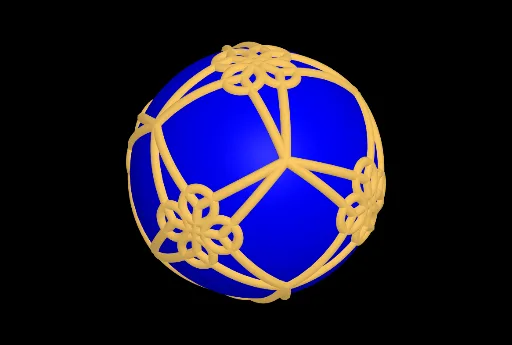
This example demonstrates the tiling of a sphere with equilateral triangles. It involves core mathematical concepts such as spherical geometry, equilateral triangle construction, and angle calculations. GeoGebra commands used include Circle, Intersect, Sphere, Angle, PointIn, CircleArc, Sequence, and Mirror. It is suitable for high school and above students to understand spherical and spatial geometry constructions, as well as for demonstrating random experiments in probability and statistics.
GeoGebra Commands & Parameters
Circle(O, 1, Line[O, (1, 1, sqrt(2))]) → c1Circle(O, 1, Line[O, (-1, -1, sqrt(2))]) → c4Circle(O, 1, Line[O, (-1, 1, sqrt(2))]) → c3Intersect(c3, c4, 1) → ACircle(O, 1, Line[O, (1, -1, sqrt(2))]) → c2Intersect(c1, c2, 1) → BSphere(O, 1) → spIntersect(c2, c3, 2) → CAngle(B, O, C) → BOCAngle(A, O, C) → AOCIntersect(c2, c4, 2) → DAngle(A, O, D) → AODAngle(C, O, D) → CODAngle(A, O, E) → AOEAngle(D, O, E) → DOEAngle(A, O, B) → AOBPointIn(sp) → PAngle(A, O, P) → AOPCircleArc(O, A, P) → ac1CircleArc(O, B, P) → ac2CircleArc(O, C, P) → ac3Circle(O, 1, xAxis) → cxCircle(O, 1, yAxis) → cyCircle(O, 1, zAxis) → czSequence(Rotate[l1, (i * 90°), Line[O, C]], i, 0, 3) → l2Sequence(Rotate[l2, (i * 120°), Line[O, A]], i, 0, 3) → l3Mirror(l3, O) → l4Circle(Point[Segment[O, P], p], sqrt(1 - p^(2)), Line[O, P]) → cSequence(Rotate[c, (i * 90°), Line[O, C]], i, 0, 3) → lc1Sequence(Rotate[lc1, (i * 120°), Line[O, A]], i, 0, 3) → lc2Mirror(lc2, O) → lc4