
Special Right Triangles
Loading the math board and drawing, please wait…
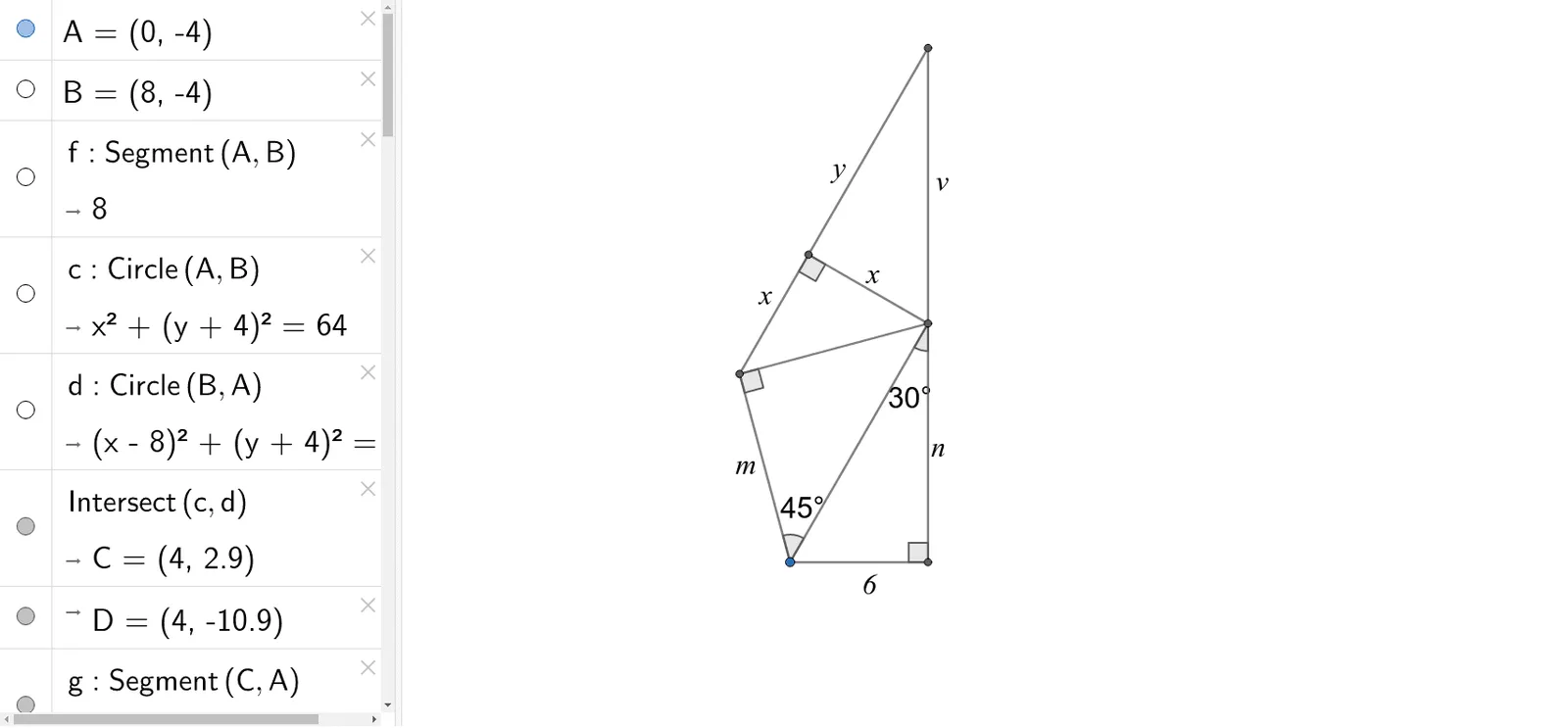
This example demonstrates the geometric construction and properties of two special right triangles: 30°-60°-90° and 45°-45°-90°. It involves core math concepts like right triangles, trigonometric functions (tangent), geometric transformations (dilation, angle bisector), and introductory solid geometry. Construction highlights include using commands like Segment, Circle, Intersect, OrthogonalLine, Semicircle, LineBisector, and Angle. Suitable for high school students to learn about the construction methods and intrinsic connections of special right triangles.
GeoGebra Commands & Parameters
Segment(A, B) → fCircle(A, B) → cCircle(B, A) → dIntersect(c, d) → C, D, ,Segment(C, A) → gOrthogonalLine(C, f) → hIntersect(h, f) → ESegment(A, E) → iSegment(C, E) → jSemicircle(A, C) → kLineBisector(g) → lIntersect(k, l) → F,Segment(F, C) → mSegment(F, A) → nAngle(A, F, C) → αAngle(C, E, A) → βAngle(C, A, F) → γAngle(E, C, A) → δSemicircle(F, C) → eLineBisector(m) → pIntersect(e, p) → H,Segment(F, H) → qSegment(H, C) → rOrthogonalLine(H, r) → sLine(C, E) → tIntersect(s, t) → ISegment(I, C) → aSegment(I, H) → bAngle(F, H, C) → ε
AI Drawing Prompt Reference
Draw two special right triangles. Start with a horizontal base segment. Construct two equal circles centered at each endpoint with radius equal to the base length; their upper intersection forms an equilateral triangle. Drop a perpendicular from this apex to the base, creating a 30-60-90 triangle. Then, using the apex and one base endpoint as diameter, draw a semicircle. Construct the perpendicular bisector of the side from apex to that endpoint; its intersection with the semicircle gives a point, connecting it to the apex and endpoint forms a 45-45-90 triangle. Finally, mark the right angles and acute angles in both triangles, and add necessary auxiliary lines.
The prompt above was compiled from the original drawing commands and is for reference only.