
Span of 2 Vectors (Version Two)
Loading the math board and drawing, please wait…
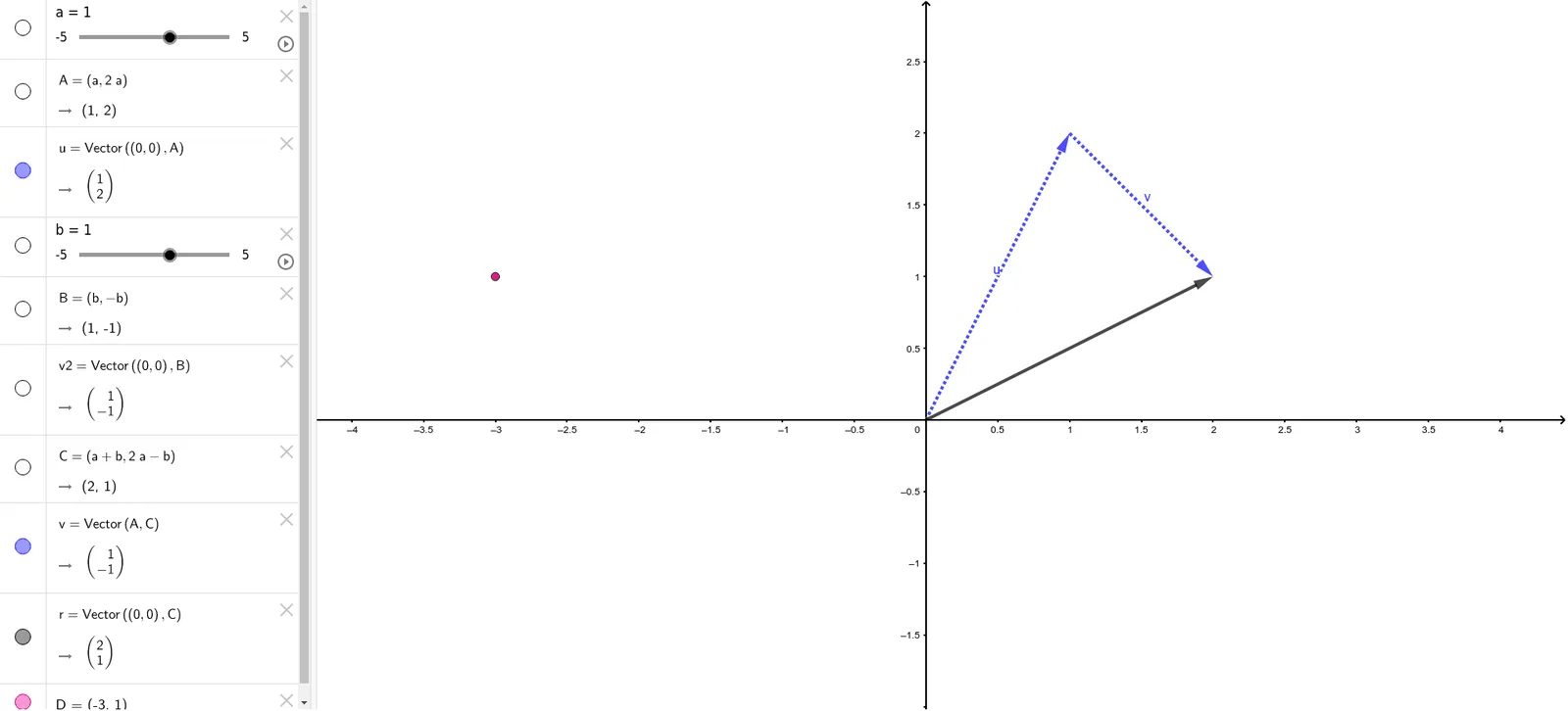
This example visualizes the span of two vectors in the plane, showing the set of all points obtained by linear combinations of the two given vectors. It illustrates core concepts of linear algebra: linear combination, span, and linear dependence/independence. The construction uses GeoGebra's Vector command to define vectors a and b, with a slider parameter r controlling the combination coefficient, generating a dynamic point D that traces the span region (a line or the whole plane). Suitable for high school or early college linear algebra courses, it provides an intuitive geometric understanding of vector spaces. The construction summary lists objects a, A, u, b, B, v2, C, v, r, D, where r is the parameter and D is the combination point, emphasizing interactive exploration.
GeoGebra Commands & Parameters
Vector((0, 0), A) → uVector((0, 0), B) → v2Vector(A, C) → vVector((0, 0), C) → r
AI Drawing Prompt Reference
Visualize the span of two vectors in a plane by plotting two vectors starting from the origin to points A and B respectively. Use a slider to control a coefficient that generates a dynamic point moving along the line or plane defined by the two vectors, illustrating the concept of linear combinations and span.
The prompt above was compiled from the original drawing commands and is for reference only.