
Solving Two-Step Equations by wscottblev
Loading the math board and drawing, please wait…
In collections
Randomised Questions
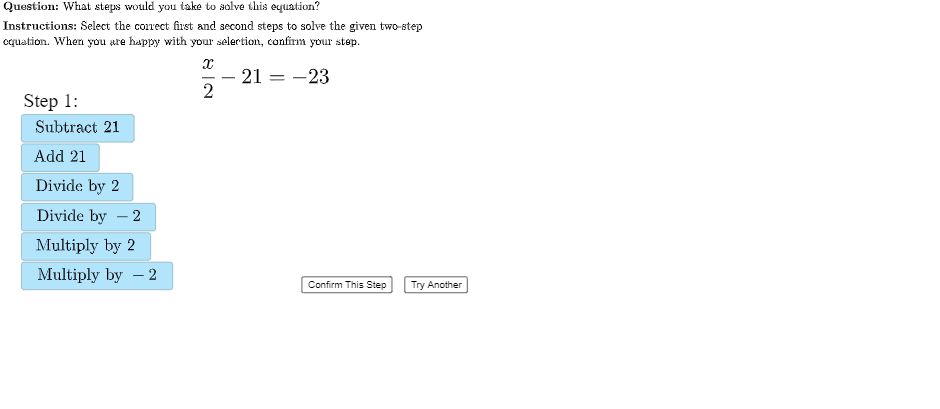
This example demonstrates solving two-step equations. Key mathematical concepts include the methods of solving equations. Using GeoGebra commands such as UnicodeToLetter, LaTeX, and Shuffle, the process of solving each step is dynamically shown. Suitable for middle school math education.
GeoGebra Commands & Parameters
UnicodeToLetter(10007) → xmarkUnicodeToLetter(10003) → cmarkLaTeX("\text{Equation}") → A1LaTeX("\text{Choice 1}") → B1LaTeX("\text{Choice 2}") → C1LaTeX("\text{Choice 3}") → D1LaTeX("\text{Choice 4}") → E1LaTeX("\text{Choice 5}") → F1LaTeX("\text{Choice 6}") → G1LaTeX("\text{1st Step Choice 1}") → H1LaTeX("\text{1st Step Choice 2}") → I1LaTeX("\text{1st Step Choice 3}") → J1LaTeX("\text{1st Step Choice 4}") → K1LaTeX("\text{1st Step Choice 5}") → L1LaTeX("\text{1st Step Choice 6}") → M1LaTeX("\text{2nd Step Choice 1}") → N1LaTeX("\text{2nd Step Choice 2}") → O1LaTeX("\text{2nd Step Choice 3}") → P1LaTeX("\text{2nd Step Choice 4}") → Q1LaTeX("\text{2nd Step Choice 5}") → R1LaTeX("\text{2nd Step Choice 6}") → S1Shuffle({1, 2, 3, 4, 5}) → questionList, {1, 4, 2, 5, 3}Element(questionList, questionListIndex) → questionNumberLaTeX("\text{\textbf{Question: }What steps would you take to solve this equation?}") → MainInstrucElement(H2:H6, questionNumber) → step1option1Element(I2:I6, questionNumber) → step1option2Element(J2:J6, questionNumber) → step1option3Element(K2:K6, questionNumber) → step1option4Element(L2:L6, questionNumber) → step1option5Element(M2:M6, questionNumber) → step1option6LaTeX("\text{Correct First Step}") → T1LaTeX("\text{Correct First Step}") → U1UnicodeToLetter(10003) → cmark_1UnicodeToLetter(10007) → xmark_1Element(N2:N6, questionNumber) → step2option1Element(O2:O6, questionNumber) → step2option2Element(P2:P6, questionNumber) → step2option3Element(Q2:Q6, questionNumber) → step2option4Element(R2:R6, questionNumber) → step2option5Element(S2:S6, questionNumber) → step2option6LaTeX("\text{\textbf{Instructions: }Select the correct first and second steps to solve the given two-step\\equation. When you are happy with your selection, confirm your step.}") → SpecInstruc
AI Drawing Prompt Reference
This graphic is an interactive math education interface for solving two-step equations. It features an equation display area, step choice options for the first and second steps, and labels for each option. Correct step guidance highlights the right path. The construction order is: display the equation, show all step choices, then present correct step guidance.
The prompt above was compiled from the original drawing commands and is for reference only.