
Solving Linear Fractional Equations
Loading the math board and drawing, please wait…
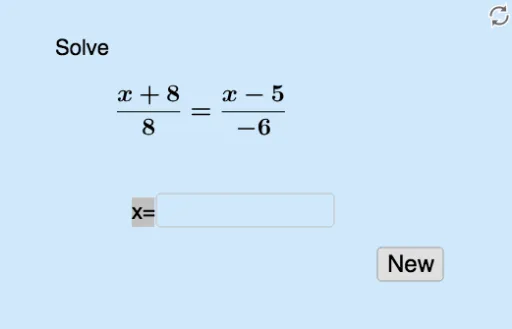
This example demonstrates how to solve linear fractional equations using GeoGebra, visualizing the solutions geometrically. Key math concepts include fractional equations, linear equations, solution sets, and geometric representation. Construction highlights involve commands like Random, RandomElement, Intersect, Solve, Textfield, and objects such as list2, a, c, list1, b, f, g, p, d, q, A, e, L1, text1, text2, empty, h, i, InputBox1, button1, r, text3, text4. Suitable for high school mathematics education to understand the solution methods and geometric significance of fractional equations.
GeoGebra Commands & Parameters
Random(-10, 10) → aRandom(-10, 10) → cRandomElement(list1) → bRandomElement(list2) → dIntersect(g, q, 1) → ASolve(g = q) → eTextfield(empty) → InputBox1
AI Drawing Prompt Reference
Create a geometric visualization showing how to solve linear fractional equations, with randomly generated coefficients and function graphs, intersecting points to find solutions, and a text box for inputting parameters to illustrate the geometric significance and solution sets of the equations.
The prompt above was compiled from the original drawing commands and is for reference only.