
Solving Exponential Equations (I): Practice Generator with Graphical Check
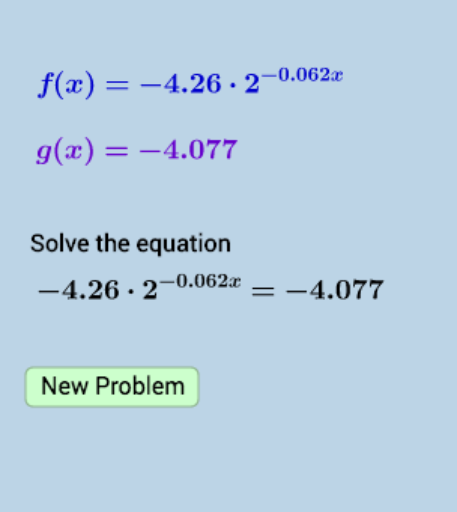
Loading the math board and drawing, please wait…
① This example demonstrates how to randomly generate exponential equation practice problems and verify solutions graphically by comparing function graphs, linking algebraic solving with visual confirmation. ② Core mathematical concepts include exponential equations, properties of exponential functions, the relationship between equation solutions and function zeros, and the use of random generation for exercise design. ③ Construction highlights: using GeoGebra commands Random, Sequence, Union, and RandomElement to generate random coefficients and bases, constructing exponential functions f and g, a button (button1) to trigger new problems, and text objects (text1 to text6) to display the problem and solution steps, while plotting the graphs for comparison. ④ Suitable for high school or pre-university students learning exponential equations, and useful for teachers as a classroom demonstration or for students' self-paced practice to grasp the geometric meaning of solutions.
GeoGebra Commands & Parameters
Random(1, 3) → nSequence(i, i, -10, -0.01, 0.01) → aseqleftSequence(i, i, 0.01, 10, 0.01) → aseqrightUnion(aseqleft, aseqright) → aseqRandomElement(aseq) → aRandomElement(blist) → bSequence(i, i, -0.999, -0.001, 0.001) → clistleftSequence(i, i, 0.001, 0.999, 0.001) → clistrightUnion(clistleft, clistright) → clistRandomElement(clist) → cSequence(i, i, 0.01, 10, 0.01) → tlistRandomElement(tlist) → t