
Solving Equations with the Unit Circle
Loading the math board and drawing, please wait…
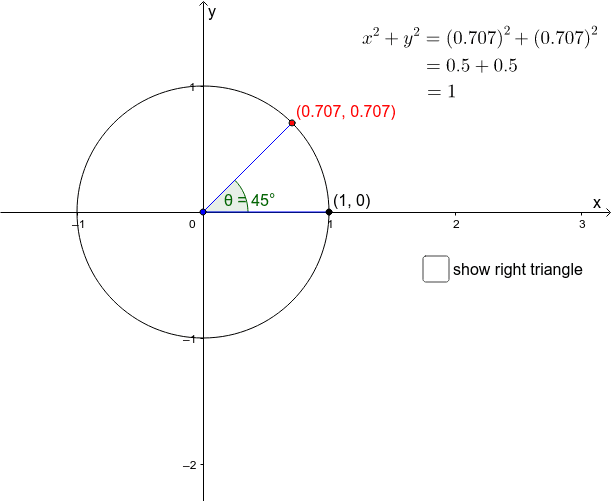
This example demonstrates solving equations using the unit circle. Key math concepts include trigonometry and the unit circle. GeoGebra commands used include Circle, Point, Angle, Segment, Polygon, etc. Suitable for high school math education and learning.
GeoGebra Commands & Parameters
Circle((0, 0), 1) → cPoint(c) → AAngle(B, C, A) → θSegment(C, A) → aSegment(C, B) → bPolygon(A, C, D) → poly1, d_1, a_1, c_1Midpoint(a) → EMidpoint(c_1) → GMidpoint(C, D) → F
AI Drawing Prompt Reference
Draw a unit circle centered at the origin with radius 1. Place a point on the circle, then connect it to the center and to another fixed point on the circle with two segments, forming an angle that is marked by an arc. Construct a triangle using three points on the circle and draw its three sides. Mark the midpoints of two sides of the triangle and the midpoint of the segment connecting two points on the circle. The final figure shows the unit circle, the labeled angle, and the triangle with its midpoints.
The prompt above was compiled from the original drawing commands and is for reference only.