
Solving Equations Part 1: Linear Equations with Two Variables
Loading the math board and drawing, please wait…
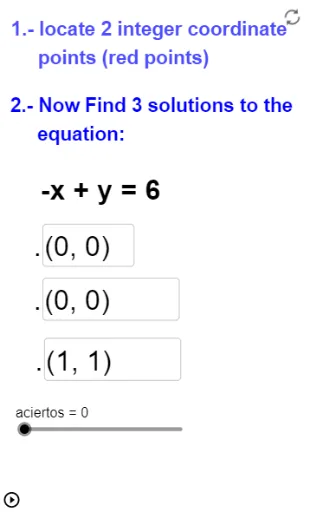
① This interactive GeoGebra example demonstrates how to solve linear equations with two variables (i.e., first-degree equations in two unknowns) through randomly generated practice problems with immediate feedback. ② Core math concepts include linear equations, solutions of two-variable equations, substitution, equality properties, and graphical interpretation of solution sets as straight lines. ③ Construction highlights: uses RandomPolynomial and Random commands to generate random coefficients, Textfield and CasillaDeEntrada for input boxes, Text for displaying problems and feedback, Intersect and Line to draw lines and show intersection points, Sum and Length to track the number of correct answers, and a button (botón1) to generate new problems. ④ Suitable for middle or high school students learning linear equations, and useful for classroom demonstrations or self-paced practice, enhancing engagement through interactive input and instant validation.
GeoGebra Commands & Parameters
Sum(isCorrect) → numCorrectTextfield(A) → inputBoxATextfield(B) → inputBoxBTextfield(C) → inputBoxCText(Element[equations, currentProblem]) → currentEquationDisplayLength(equations) → numProblemsRandomPolynomial(1, -10, 10) → fIntersect(xAxis, yAxis) → D_1Intersect(xAxis, yAxis) → EIntersect(xAxis, yAxis) → FLine(C, A) → gTextfield(G) → CasillaDeEntrada1_2Textfield(D) → CasillaDeEntrada1Textfield(H) → CasillaDeEntrada1_1Line(H, G) → hRandom(10000, 100000, true) → c
AI Drawing Prompt Reference
Create an interactive graph for practicing linear equations with two variables. Display a randomly generated straight line on a coordinate plane, with its equation shown as text. Provide three input boxes for the user to enter coefficients or constants. Show immediate feedback on correctness and a running count of correct answers. Mark the line's intersections with the axes as points. Include a button to generate a new random line and reset the inputs. The layout should be clean and educational.
The prompt above was compiled from the original drawing commands and is for reference only.