
SOH-CAH-TOA's Failure (II)
Loading the math board and drawing, please wait…
In collections
GA Chapter 8: Right Triangles and Trigonometry
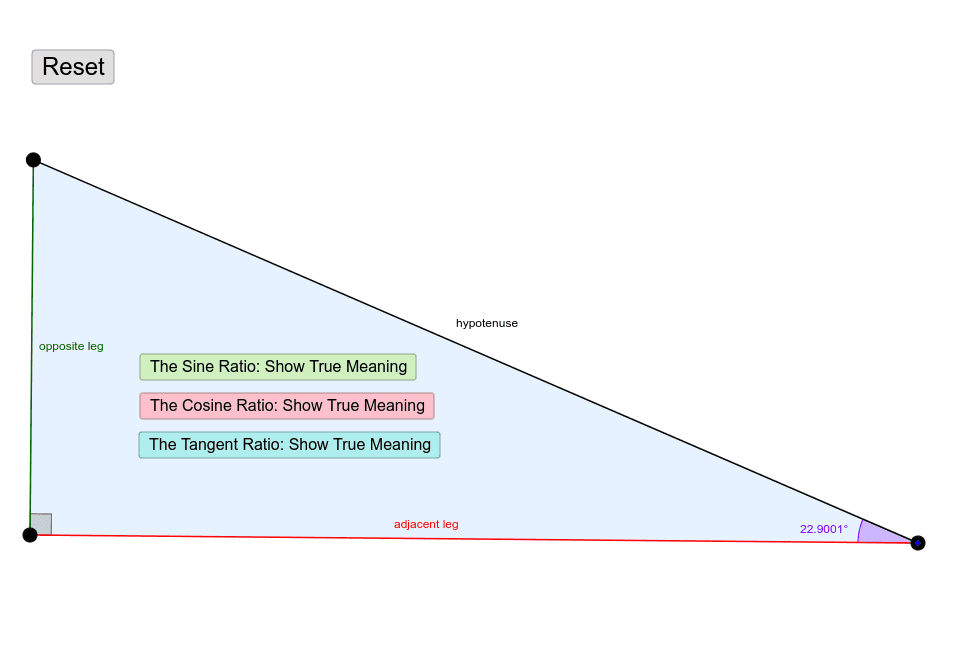
This example demonstrates the failure of SOH-CAH-TOA trigonometric principles in specific geometric scenarios. It involves core concepts like rotation, orthogonal lines, circumcircle, vectors, and polygon construction. The construction uses commands such as Segment, OrthogonalLine, Point, Ray, Angle, Rotate, Polygon, Midpoint, and Vector. Suitable for high school and advanced learners to explore the limitations of trigonometric functions in complex geometric transformations.
GeoGebra Commands & Parameters
Segment(A, B) → aOrthogonalLine(B, a) → bPoint(b) → ERay(B, E) → cAngle(A, B, E) → αPoint(c) → CSegment(C, A) → dAngle(B, C, A) → βSegment(B, C) → eRotate(B, If[0 < f ≤ 1, (f * β), 0], C) → B'Rotate(C, If[0 < f ≤ 1, (f * β), 0], C) → C'Segment(B', C') → e'Angle(C, A, B) → γRotate(A, If[0 < g ≤ 1, ((-g) * γ), 0], A) → A'Rotate(B, If[0 < g ≤ 1, ((-g) * γ), 0], A) → B'_1Segment(A', B'_1) → a'Rotate(B, If[0 < h ≤ 1, ((-h) * α), 0], B) → B'_2Rotate(C, If[0 < h ≤ 1, ((-h) * α), 0], B) → C'_1Segment(B'_2, C'_1) → e'_1Polygon(B, A, C) → poly1, c_1, b_1, a_1Midpoint(e') → DVector(F, D) → uMidpoint(a') → GVector(H, G) → vMidpoint(e'_1) → IVector(J, I) → w
AI Drawing Prompt Reference
Draw a triangle ABC with AB and AC as two sides and BC as the third side. Construct an angle α and rotate it around points B and C to generate new points B' and C', then connect B' and C'. Next, construct angles β and γ and rotate them around points B and C to generate new points B'_1 and A', then connect A' and B'_1. Then, construct a quadrilateral by connecting points B, A, and C. Find the midpoint D of line segment e', the midpoint G of line segment a', connect D and G, and then find the midpoint I of line segment e'_1, connect I and G.
The prompt above was compiled from the original drawing commands and is for reference only.