
SOH CAH TOA for Angles
Loading the math board and drawing, please wait…
In collections
Right Angled Triangles
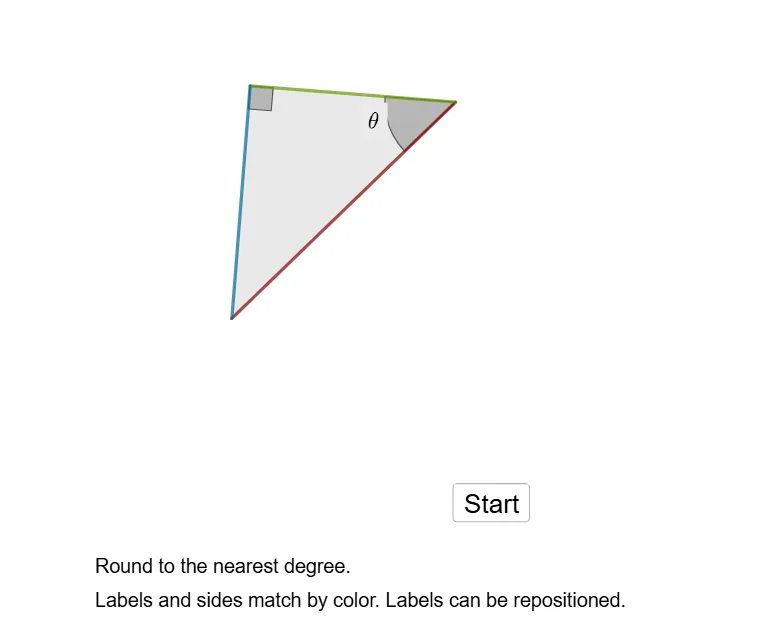
This example demonstrates the application of SOH CAH TOA trigonometric ratios in angle calculations. It involves core math concepts like trigonometry, angle measurement, and geometric constructions. Constructed using GeoGebra commands such as Polygon, Angle, Random, Midpoint, Shuffle, Circle, Textfield, FromBase, Intersect, making it suitable for high school mathematics education, particularly for visualizing the integration of trigonometry and geometry.
GeoGebra Commands & Parameters
Polygon(B, A, C) → t1, c_1, b, a_1Angle(B, C, A) → βRandom(1, 10) → pMidpoint(B, C) → DMidpoint(C, A) → EMidpoint(A, B) → FAngle(C, A, B) → θAngle(A, B, C) → δShuffle(list1) → list2, {0, 0, 1}Circle((0, 0), d) → cTextfield(empty1) → InputBox1FromBase("text1", 10) → sol1Textfield(empty2) → InputBox2Textfield(empty3) → InputBox3Circle(A, 0.6) → kIntersect(k, c_1, 1) → JIntersect(k, b, 1) → KMidpoint(J, K) → L
AI Drawing Prompt Reference
Draw a triangle with labeled vertices and angles, generate a random number, find the midpoints of the triangle's sides, draw a circle centered at the origin, place three input boxes at random positions, intersect the circle with the triangle's sides to get two points, and find the midpoint of these two points, drawing it as well.
The prompt above was compiled from the original drawing commands and is for reference only.