
Slipping Ellipses
Loading the math board and drawing, please wait…
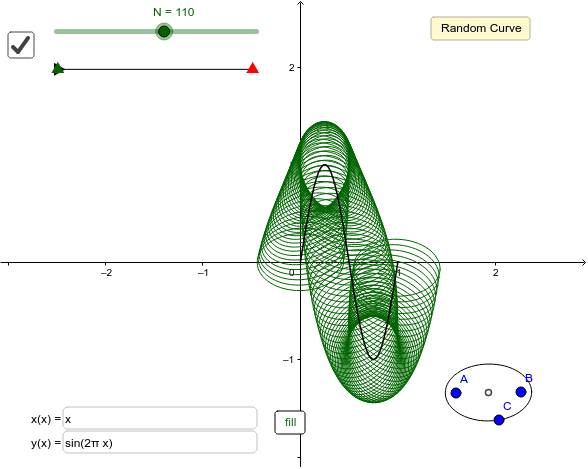
This example demonstrates math art with ellipses moving along parametric curves. Key math concepts include ellipse, rotation, surface, step functions, numbers, set theory, LCM and GCD. It is constructed using GeoGebra commands like Midpoint, Ellipse, Segment, Point, CurveCartesian, RandomElement, Textfield, Sequence, and First. Suitable for high school and above students learning parametric equations and locus.
GeoGebra Commands & Parameters
Midpoint(A, B) → DEllipse(A, B, C) → dSegment(E, F) → fPoint(f) → GPoint(Segment[G, F]) → HCurveCartesian(a(t), b(t), t, 0, 1) → cRandomElement(list2) → a_rRandomElement(list2) → b_rTextfield(a) → InputBox1Textfield(b) → InputBox2Sequence(Translate[Rotate[d, ((i * 360) * ° / N), D], Vector[D, c(i / N)]], i, i_0, i_1) → list1First(list1, N_g) → list3
AI Drawing Prompt Reference
Draw a set of ellipses moving along parametric curves to demonstrate mathematical art. The ellipses are defined by two points' midpoint and distance, and rotate around the midpoint. The ellipses move along a segment connecting two randomly chosen points. The entire graphic consists of multiple ellipses distributed according to parametric equations, forming a complex surface structure.
The prompt above was compiled from the original drawing commands and is for reference only.