
Sine Rule Exercises
Loading the math board and drawing, please wait…
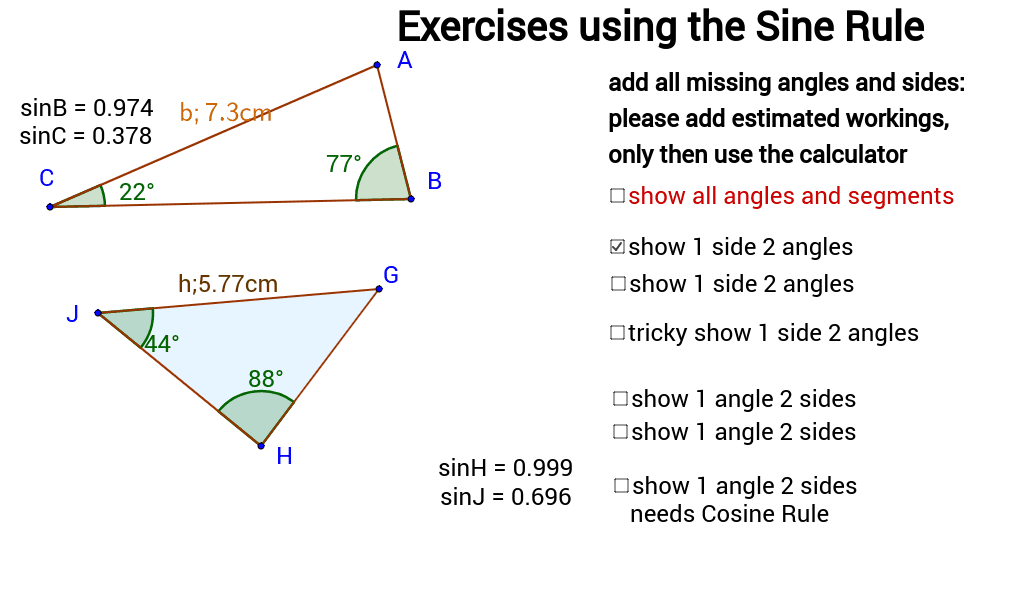
This example demonstrates the application of the Sine Rule through constructing triangles and solving for side lengths and angles, helping students understand the core concept of the Sine Rule. It uses commands like Angle, Segment, Point in GeoGebra. Suitable for middle school and above students learning trigonometry.
GeoGebra Commands & Parameters
Angle(C, A, B) → αPolygon(A, B, C) → poly1, c, a, bOrthogonalLine(A, a) → dIntersect(d, a) → DSegment(C, D) → eSegment(B, D) → fAngle(B, C, A) → γAngle(A, B, C) → βPoint(b) → EPoint(c) → FPolygon(G, H, J) → poly2, j, g, hPoint(h) → IPoint(j) → KPoint(g) → LAngle(J, G, H) → δAngle(G, H, J) → εAngle(H, J, G) → ζ
AI Drawing Prompt Reference
Draw a triangle ABC, then draw a perpendicular line from A to BC, intersecting at point D, and connect CD and BD. Label angle BAC as α, angle ABC as β, and angle ACB as γ. Next, draw a smaller triangle GHI similar to triangle ABC, and label angle HGI as δ, angle IGH as ε, and angle GIH as ζ.
The prompt above was compiled from the original drawing commands and is for reference only.