
Sine Rule Ambiguous Case Exploration
Loading the math board and drawing, please wait…
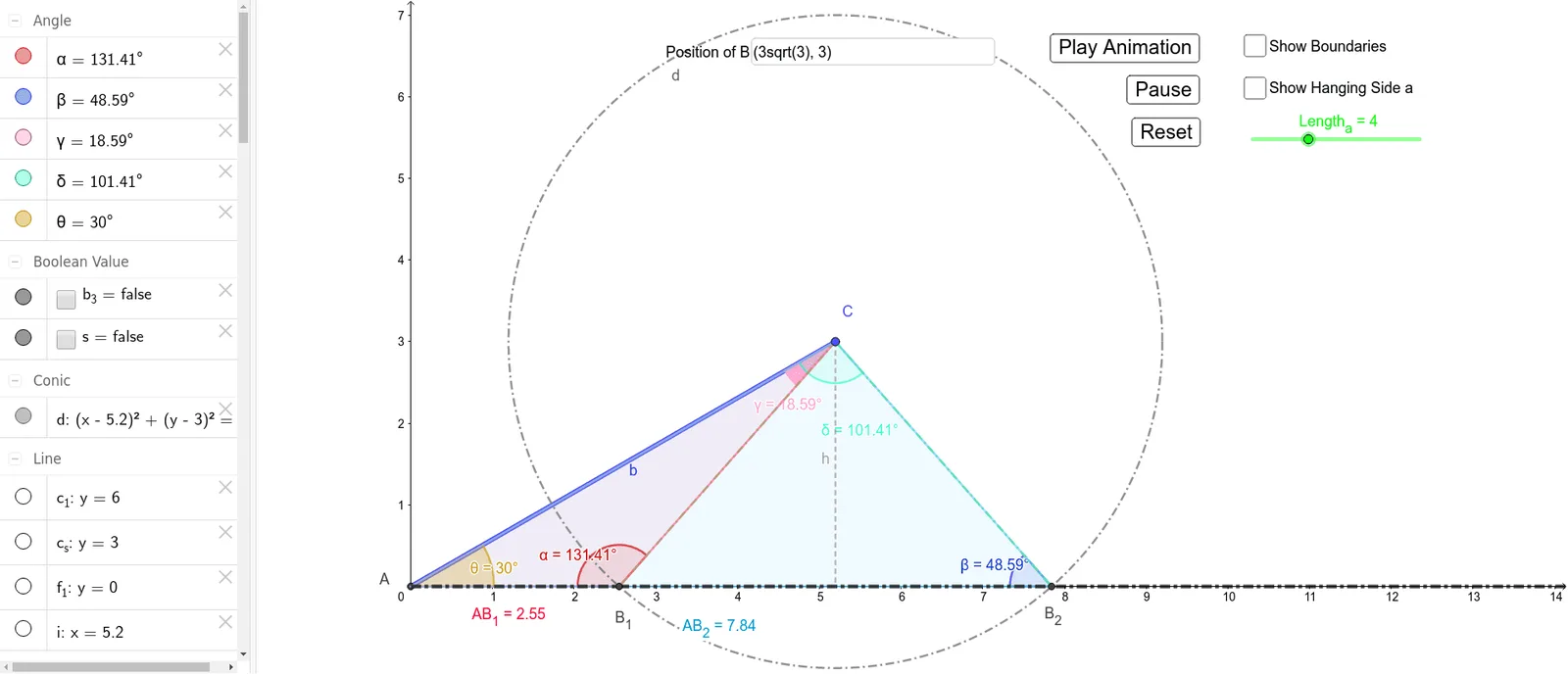
This GeoGebra example demonstrates the ambiguous case of the Sine Rule, where given two sides and a non-included angle (SSA condition) can produce zero, one, or two possible triangles. Users can adjust sliders to change known side lengths and angles, visually exploring how the relationship between the given data determines the number of solutions. Key mathematical concepts include the Sine Rule (a/sinA = b/sinB = c/sinC) and the classification criteria for triangle solutions. Construction techniques: using Line/Ray commands to create known rays, Circle command to draw arcs with given radius, Intersect command to find intersection points for possible solutions, Angle command to mark angles, Slider for dynamic parameter adjustment, and Textfield to display computed results. Ideal for secondary school mathematics teaching or student exploration of triangle solution conditions.
GeoGebra Commands & Parameters
Intersect(xAxis, yAxis) → APoint(xAxis) → ZLine(A, Z) → f_1Segment(A, C) → bPoint(Circle[C, Length_a]) → BSegment(C, B) → aAngle(b, f_1) → θOrthogonalLine(C, f_1) → iIntersect(i, f_1) → DSegment(C, D) → hCircle(C, B) → dIntersect(d, f_1) → B_1, B_2Segment(C, B_1) → fPoint(h) → GSegment(G, B_2) → gAngle(G, B_1, A) → αAngle(G, B_2, A) → βPolygon(A, B_1, C) → t1, b_1, a_1, ePolygon(A, B_2, C) → t2, b_2, a_2, f_2Angle(A, C, B_1) → γAngle(A, C, B_2) → δIntersect(b_1, e) → HIntersect(c_1, yAxis) → IIntersect(c_s, yAxis) → JPoint(c_s) → KPoint(c_1) → LPolygon(I, J, K, L) → q1, i_1, j_1, k, lPolygon(J, A, M, K) → q2, m, p, q, rPoint(yAxis) → NPolygon(N, I, L, O) → q3, n, i_2, l_1, oRay(A, Z) → jTextfield(C) → InputBox1Distance(A, B_1) → distanceAC1Distance(A, B_2) → distanceAC2