
Sine Graph Generator
Loading the math board and drawing, please wait…
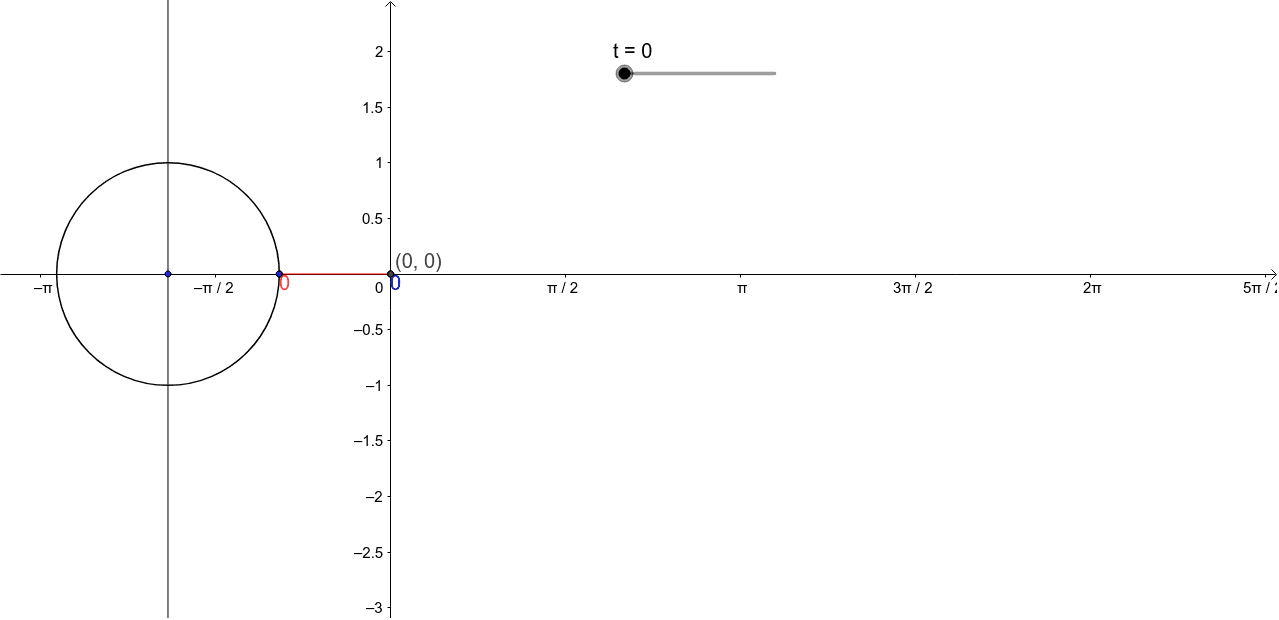
This example demonstrates how to dynamically generate a sine curve and its related geometric elements. Core math concepts include trigonometric functions, coordinate geometry, and geometric constructions. Key GeoGebra commands used are Segment, Intersect, and CircleArc, with objects like t, A, B, a, R, S, b, c, d, e, C, D, E, g, f. Suitable for high school mathematics education to understand the drawing and transformation of sine function graphs.
GeoGebra Commands & Parameters
Segment(A, B) → aSegment(R, S) → bSegment(A, R) → eIntersect(xAxis, yAxis) → ESegment(E, S) → gCircleArc(C, D, A) → f
AI Drawing Prompt Reference
Draw a sine curve with its related geometric elements, starting by drawing a horizontal and a vertical line whose intersection is labeled as E. Select a point R on the horizontal line and a point S on the vertical line, then connect these points to their respective origins to form two line segments. Next, draw an arc centered at the origin passing through point R, and connect point E to point S. Finally, combine the arc and line segments to illustrate the geometric construction of the sine function.
The prompt above was compiled from the original drawing commands and is for reference only.