
Simplifying Fractions
Loading the math board and drawing, please wait…
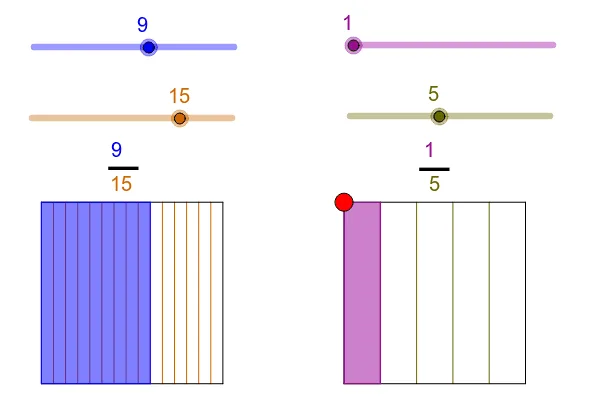
This example demonstrates how to simplify fractions. It involves basic fraction concepts. Using GeoGebra commands such as Segment, Ray, Point, etc., the process of fraction simplification is constructed. Suitable for high-grade elementary or junior high school students.
GeoGebra Commands & Parameters
Segment(A, B) → a_1Segment(B, C) → b_1Segment(C, D) → c_1Segment(D, A) → d_1Ray(D, C) → ePoint(e) → ESegment(E, F) → e_1Segment(F, G) → f_1Segment(G, H) → g_1Segment(H, E) → h_1Sequence(A + t * (B - A), t, 0, 1, 1 / b) → L1Sequence(D + t * (C - D), t, 0, 1, 1 / b) → L2Sequence(H + t * (G - H), t, 0, 1, 1 / d) → L3Sequence(E + t * (F - E), t, 0, 1, 1 / d) → L4Sequence(Segment[Element[L1, k], Element[L2, k]], k, 2, b) → L5Sequence(Segment[Element[L3, k], Element[L4, k]], k, 2, d) → L6Element(L1, a + 1) → T1Element(L2, a + 1) → T2Polygon(A, T1, T2, D) → poly1, a_2, t1, t2, d_2Element(L3, c + 1) → T3Element(L4, c + 1) → T4Polygon(E, T4, T3, H) → poly2, e_2, t4, t3, h_2
AI Drawing Prompt Reference
Draw a quadrilateral ABCD, then draw its diagonals AC and BD. Choose points E and F on AC and BD respectively, and draw lines BE and DF. Finally, construct two parallelograms using these segments.
The prompt above was compiled from the original drawing commands and is for reference only.