
Simple Trigonometric Ratios
Loading the math board and drawing, please wait…
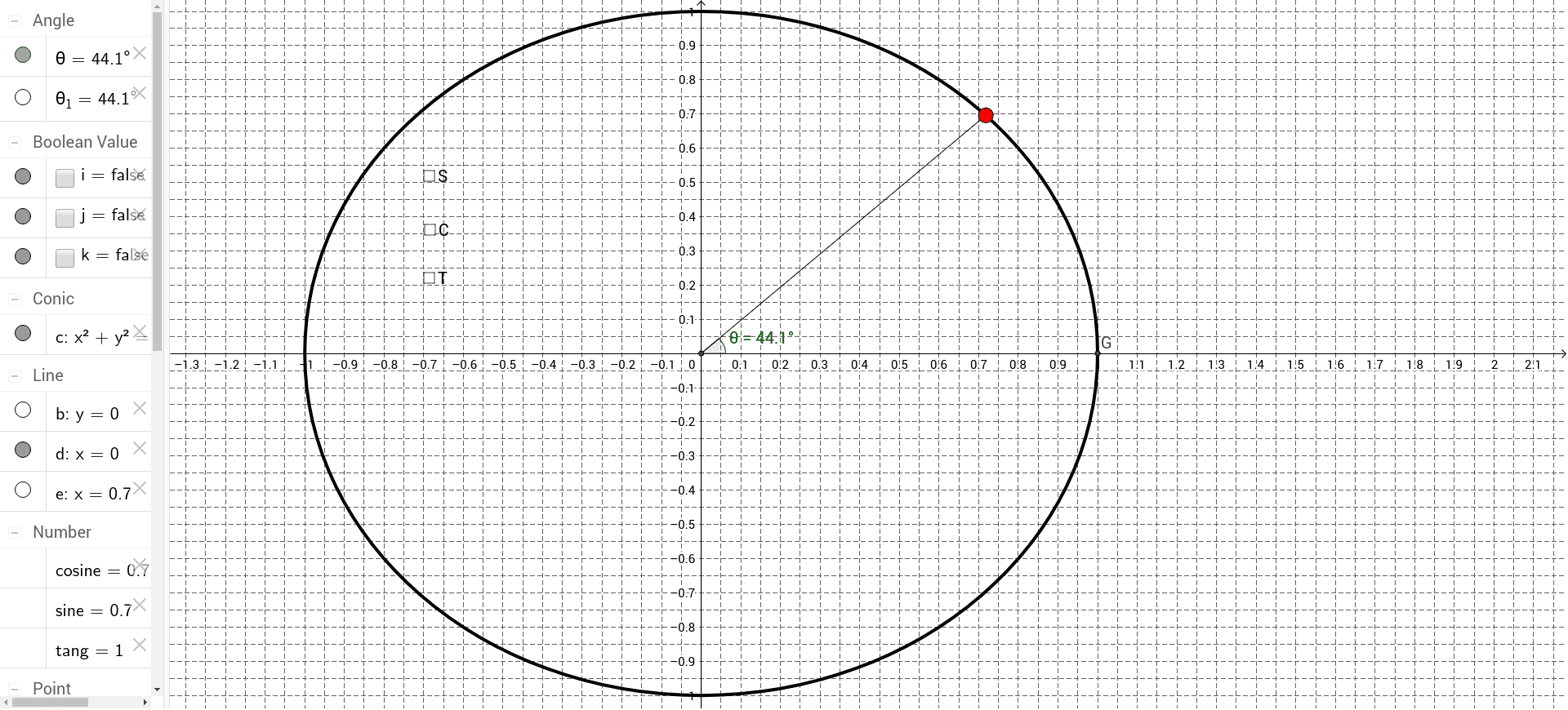
This example demonstrates the basic trigonometric ratios in a triangle. Using GeoGebra commands such as Intersect, Circle, and Point, it visually illustrates the concepts of sine, cosine, and tangent. Suitable for students in middle school and above to learn the fundamental properties of trigonometric functions.
GeoGebra Commands & Parameters
Intersect(xAxis, yAxis) → OCircle(O, 1) → cPoint(c) → ASegment(O, A) → aPoint(xAxis) → BPoint(xAxis) → CLine(B, C) → bPoint(yAxis) → DPoint(yAxis) → ELine(D, E) → dLine(A, d) → eIntersect(b, e) → FSegment(O, F) → fSegment(F, A) → gSegment(F, O) → hAngle(F, O, A) → θ_1Intersect(c, xAxis, 2) → GAngle(G, O, A) → θ
AI Drawing Prompt Reference
Draw a right triangle with a unit circle centered at the origin. Mark the intersection of the circle with the x-axis as A and with the y-axis as B. Draw a line parallel to the y-axis through B and a line parallel to the x-axis through A, marking their intersection as F. Connect O to F, and F to A and O. Label the angles at O and F, and mark the point G where the circle intersects the x-axis again, labeling the angle at G.
The prompt above was compiled from the original drawing commands and is for reference only.