
Similarity of Cross Sections of a Cone
Loading the math board and drawing, please wait…
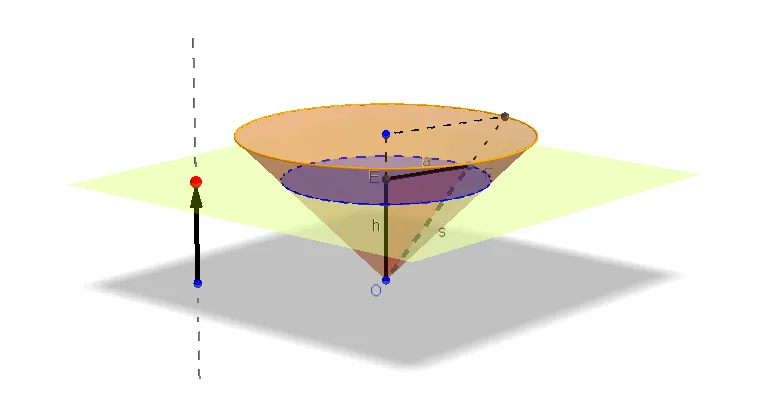
This GeoGebra example dynamically explores the shapes and similarity properties of cross sections obtained by cutting a cone with a plane. It demonstrates how the intersection curve changes from a circle to an ellipse, parabola, or hyperbola depending on the plane's orientation relative to the cone's axis. Core mathematical concepts include conic sections, similarity of figures, and the relationship between the cutting plane and the cone's geometry. The construction uses commands such as Circle, Cone, OrthogonalLine, OrthogonalPlane, IntersectPath, Point, Vector, Polygon, and Segment to build the cone, define the cutting plane, and trace the intersection path. Suitable for high school solid geometry or analytic geometry classes, as well as university-level demonstrations of conic sections and their properties.
GeoGebra Commands & Parameters
Circle(B, 3, zAxis) → cCone(B, O, 3) → a_2, d, bOrthogonalLine(C, xOyPlane) → ePoint(e) → DVector(C, D) → uOrthogonalPlane(D, e) → fIntersectPath(f, a_2) → gCorner(g)Intersect(zAxis, f) → EPoint(g) → FPolygon(E, F, O) → poly1, a, s, hLine(O, F) → iIntersect(i, c) → A,Segment(E, B) → jSegment(A, B) → kSegment(F, A) → l