
Similar Triangles Construction by maire.donlon5
Loading the math board and drawing, please wait…
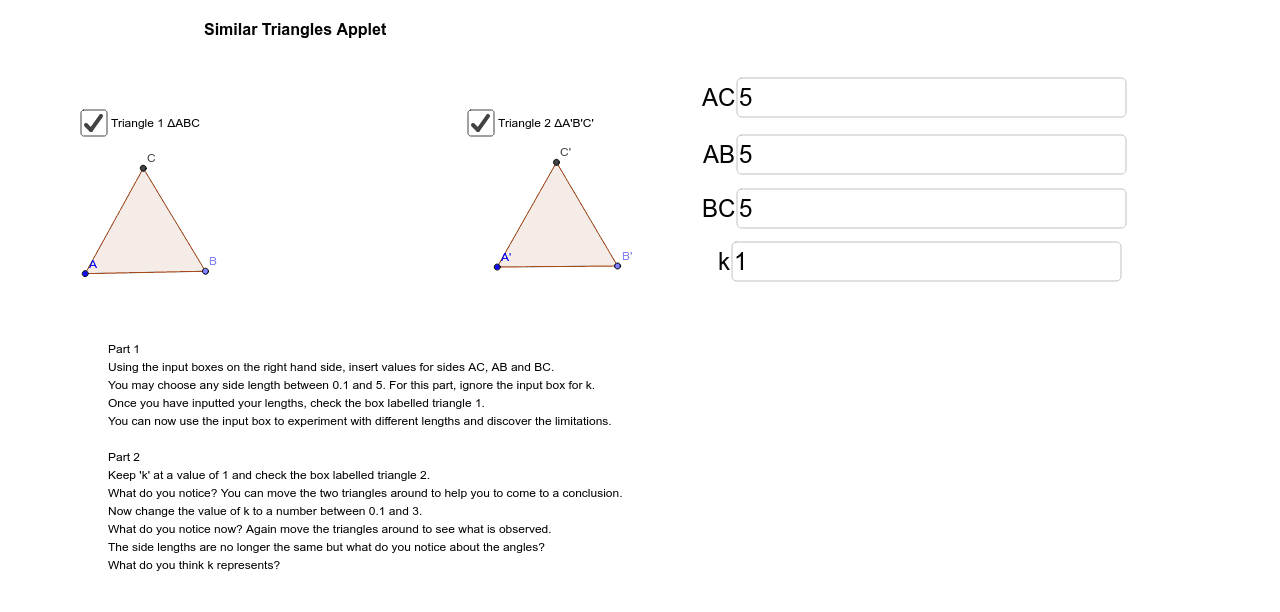
This applet demonstrates the properties of similar triangles. Key mathematical concepts include the definition and properties of similar triangles. Using GeoGebra commands such as Point, Segment, Polygon, etc., dynamic construction and observation of similar triangles are possible. Suitable for students in middle school and above to learn about similar triangles.
GeoGebra Commands & Parameters
Point(Circle[A, abs(AB)]) → BSegment(A, B) → aCircle(A, AC) → cCircle(B, BC) → dIntersect(c, d, 1) → CSegment(C, A) → bSegment(B, C) → ePolygon(A, B, C) → poly1, c_1, a_1, b_1Point(Circle[A', abs((k * AB))]) → B'Segment(A', B') → fCircle(A', (k * AC)) → gCircle(B', (k * BC)) → hIntersect(g, h) → C', G, ,Segment(C', A') → iSegment(C', B') → jPolygon(C', A', B') → poly2, e_1, f_1, d_1Textfield(AC) → inputBox1Textfield(AB) → inputBox2Textfield(BC) → inputBox3Textfield(k) → inputBox4
AI Drawing Prompt Reference
Draw two similar triangles. First, draw a circle with center A and radius |AB| to get point B, then connect A and B to form side a. Next, draw a circle with center A and radius AC, and another with center B and radius BC, and find their intersection point C; connect C and A to form side b, and connect B and C to form side e, thus forming triangle ABC. Then, input the value of k, draw a circle with center A' and radius k*AB, and another with center B' and radius k*BC, and find their intersection point C'; connect C' and A' to form side i, and connect C' and B' to form side j, thus forming triangle A'B'C'.
The prompt above was compiled from the original drawing commands and is for reference only.