
Similar Triangles and Beginning Trigonometry: Dynamic Exploration of Right Trian
Loading the math board and drawing, please wait…
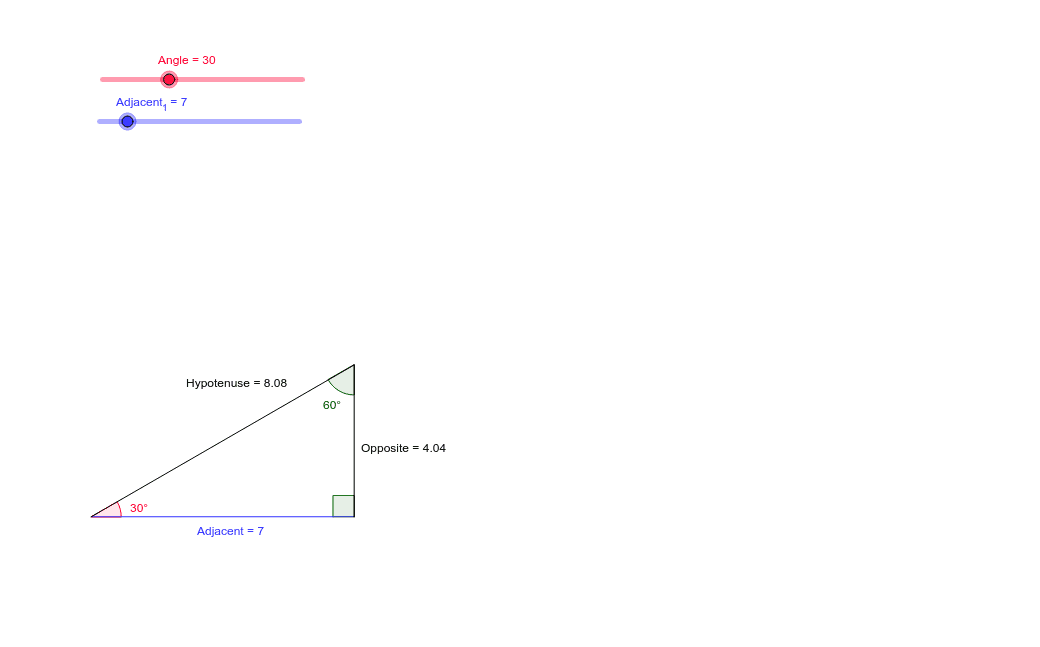
This GeoGebra worksheet demonstrates how similar right triangles reveal the fundamental ratios that define trigonometric functions. By constructing a right triangle and rotating it to create similar triangles, students can observe that for a given acute angle, the ratio of opposite side to hypotenuse (sine), adjacent side to hypotenuse (cosine), and opposite side to adjacent side (tangent) remain constant regardless of triangle size. The construction uses commands such as Point, Segment, Rotate, Angle, Line, and Intersect to build the triangles, label angles α, β, γ, and mark sides as Opposite, Adjacent, and Hypotenuse. Interactive sliders or draggable vertices allow dynamic changes in angle, making the invariant ratios visually evident. This resource is ideal for middle or high school students first encountering trigonometry, serving as an intuitive bridge from similarity to trigonometric definitions, and supports classroom demonstration or self-paced exploration.
GeoGebra Commands & Parameters
Point(Circle[A, Adjacent_1]) → BSegment(A, B) → AdjacentRotate(B, Angle°, A) → B'Angle(B, A, B') → αRotate(A, (-(90°)), B) → A'Angle(A', B, A) → βLine(B, A') → bLine(A, B') → cIntersect(b, c) → CSegment(A, C) → HypotenuseSegment(C, B) → OppositeAngle(A, C, B) → γ